

Learn CFOP, one case at a time.
Every F2L, OLL and PLL algorithm of the most popular speedcubing method, on a 3D cube you can step through. Flashcards, recognition quizzes and a timed drill make them stick.
One purchase. No ads, no subscription, no account. Requires iOS 17 or later.
Every case of CFOP.
CFOP is four steps, and its name spells them out. The first is solved by planning. The other three are solved by cases, and the app holds every one of them.
Cross
The first four edges
Build a cross on the bottom layer, each edge lined up with its center.
A guide
No algorithms to memorize here. The guide starts from the daisy, then covers planning it in inspection.
F2L
First two layers
Fill the four slots around the cross, each with a corner and its edge inserted as a pair.
41 cases
Each one from any of its four angles.
OLL
Orient the last layer
Turn every sticker of the last layer to face up.
57 cases
Or 10 to begin with: 2-Look OLL is built in.
PLL
Permute the last layer
Move the last layer's pieces into place. The cube is solved.
21 cases
Or 6 to begin with: 2-Look PLL is built in.
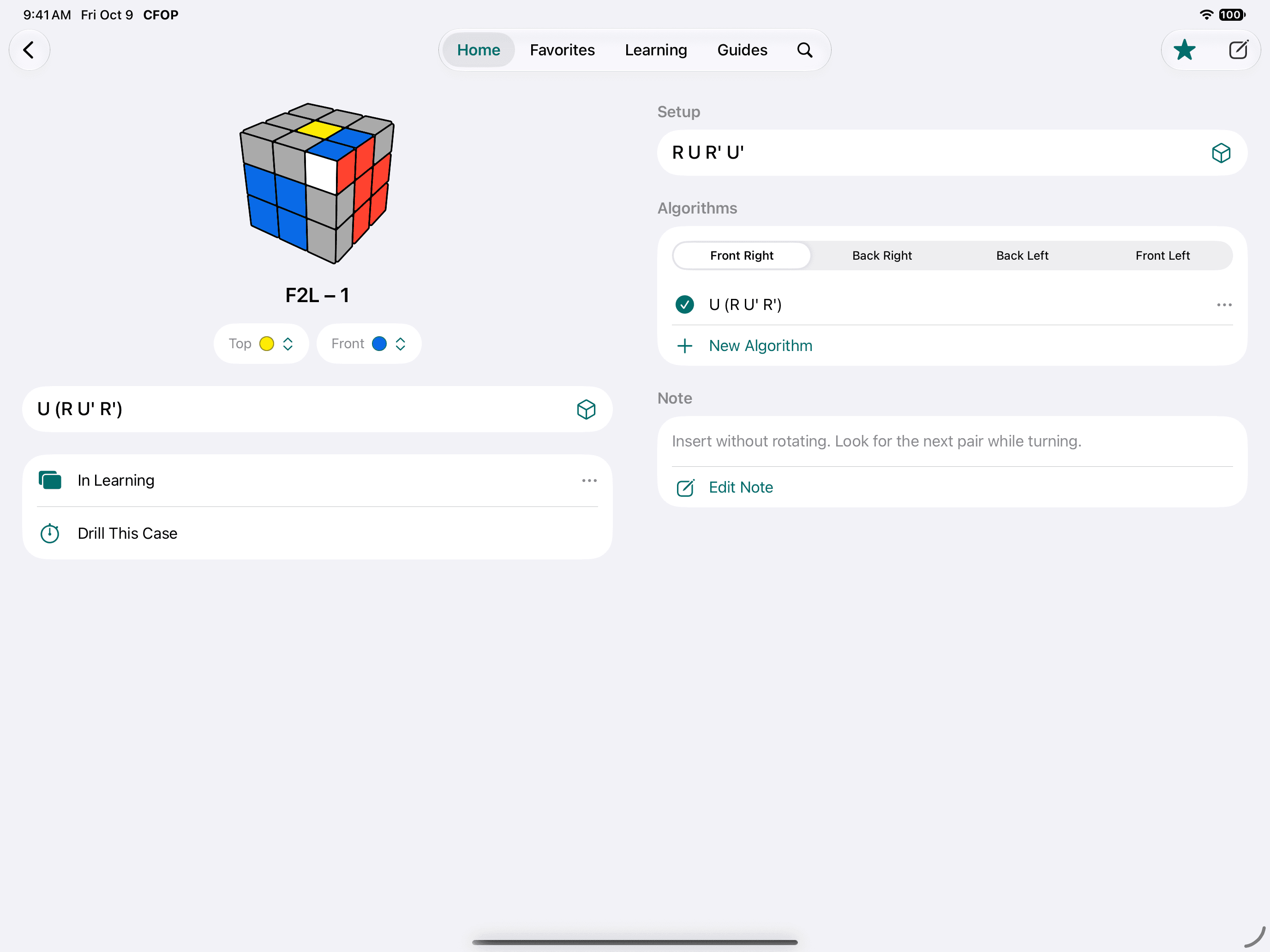
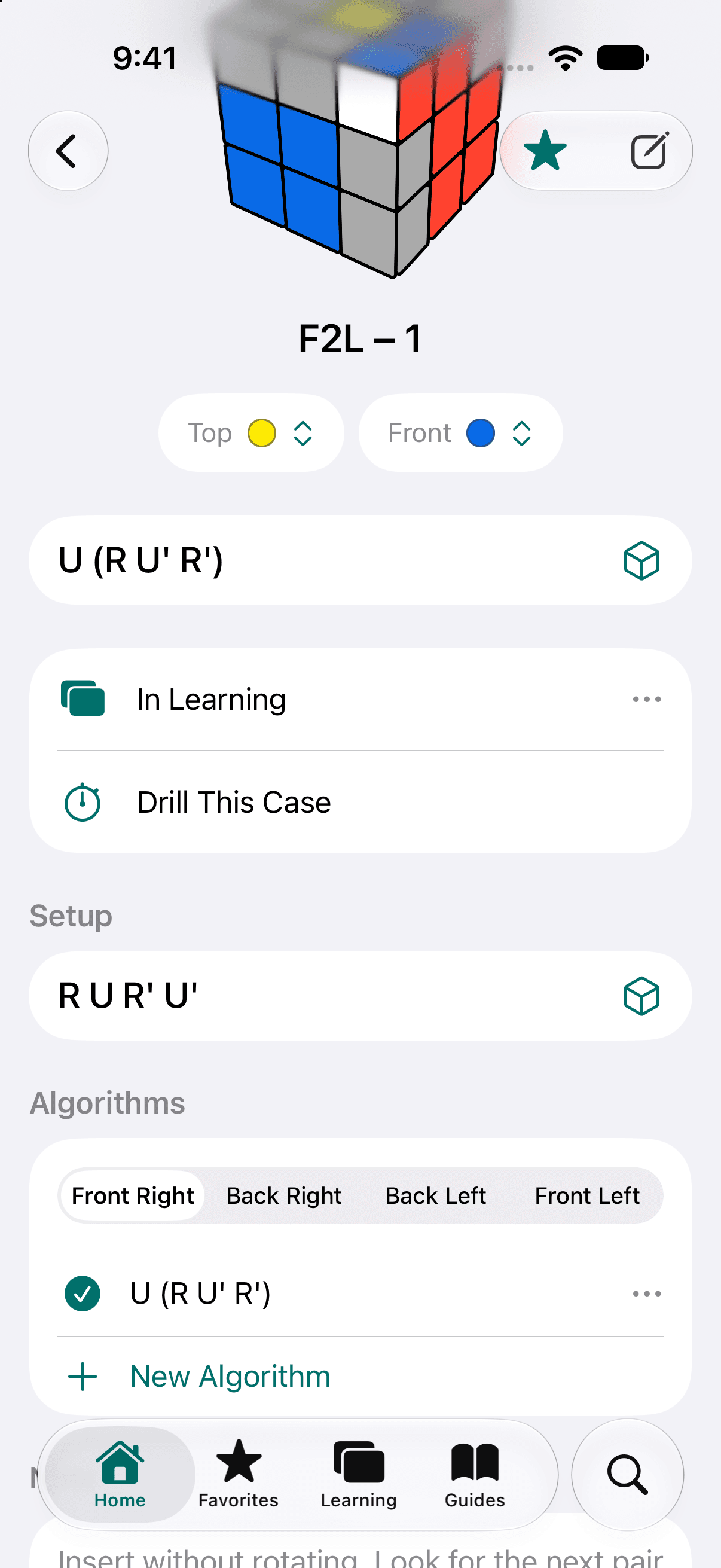
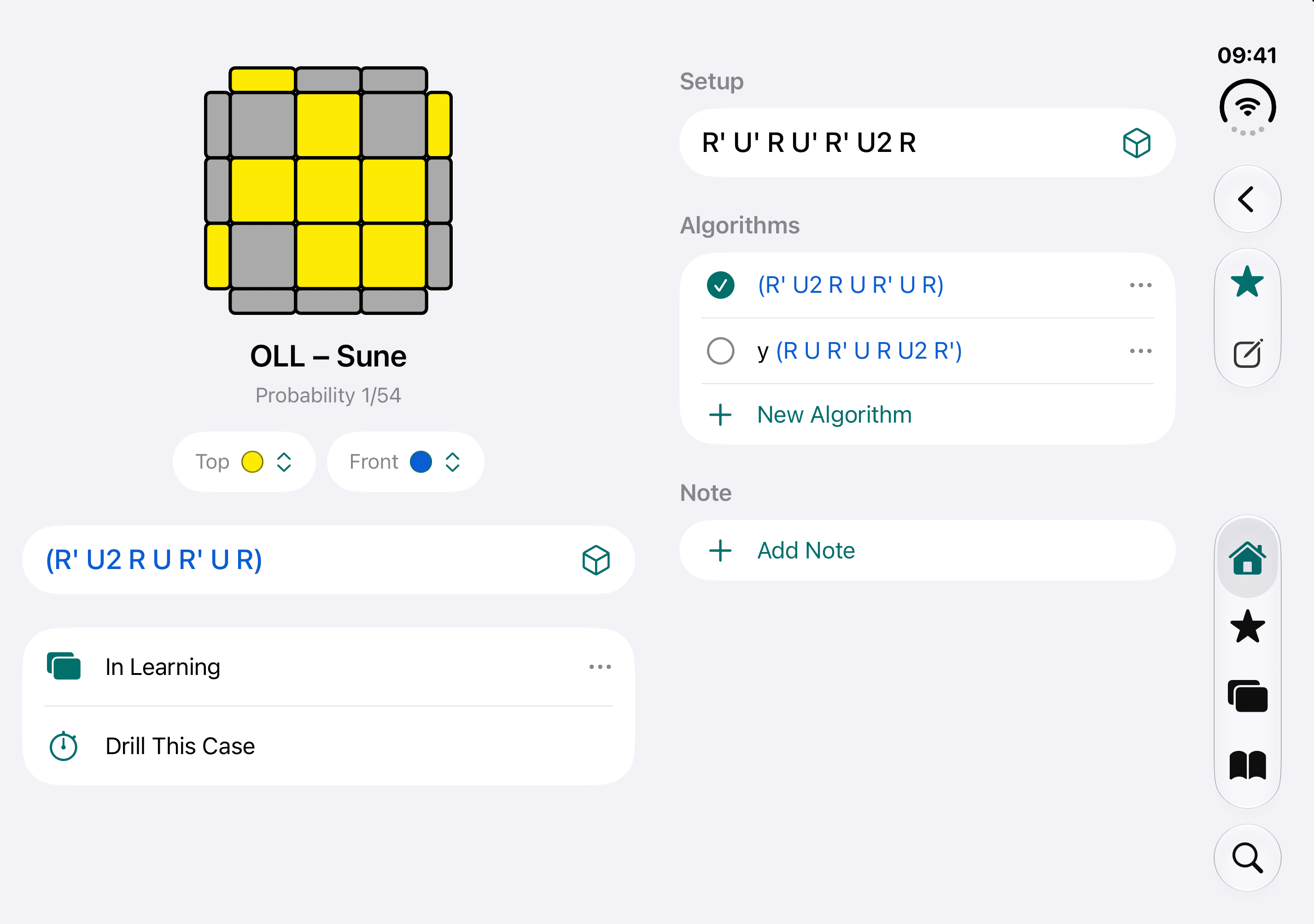
One page holds everything about a case.
The algorithm you use sits at the top. Everything else you might want while learning it is on the same page.
Alternatives, and your own
Many cases come with more than one algorithm. Pick the one that suits your hands, or write your own.
Four angles for F2L
Learn a pair from the slot you meet it in: Front Right, Back Right, Back Left or Front Left.
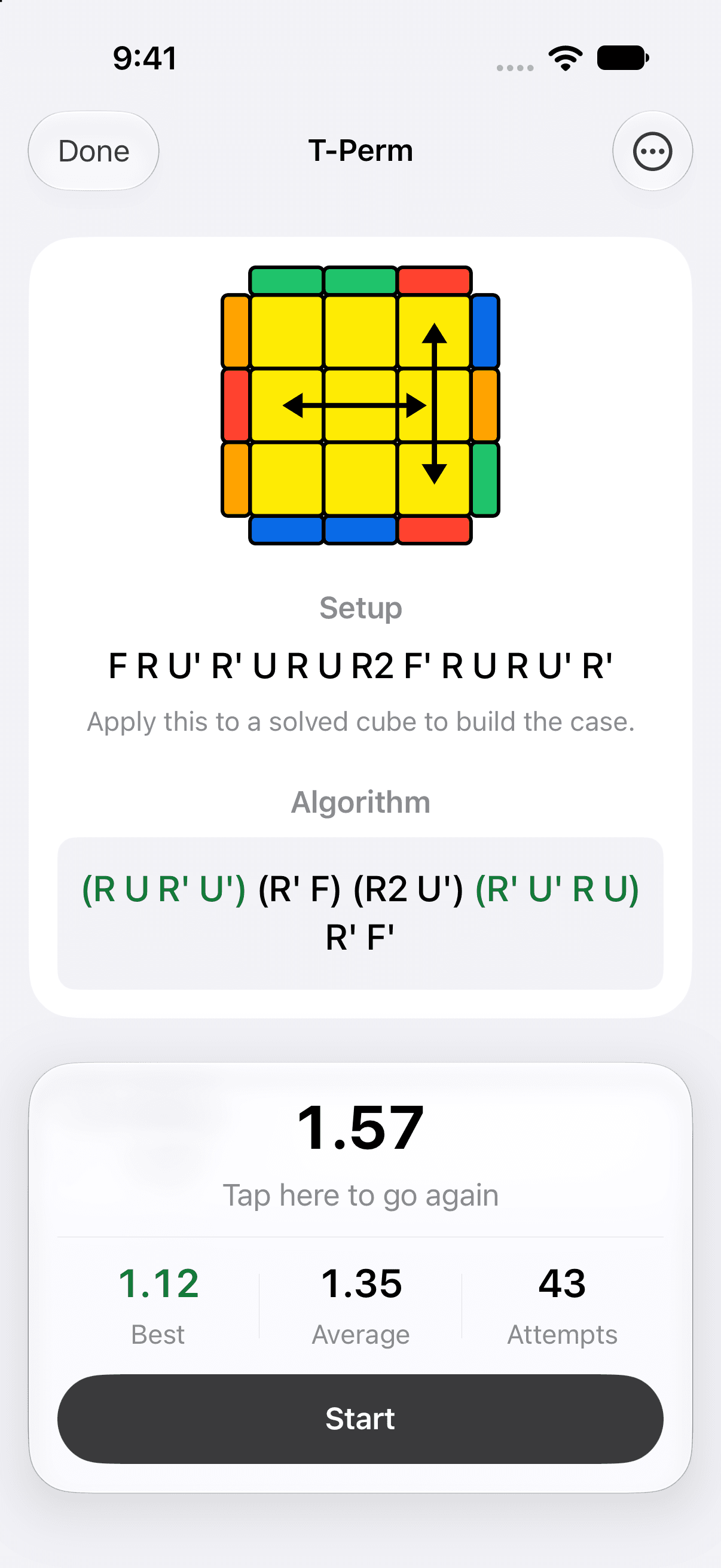
Setup moves
Apply them to a solved cube and the case is in your hands.
Your alias and note
Call a case what you call it, and keep a note beside it.
Learning and Favorites
Add a case to Learning to study it with flashcards, or star it to keep it close. The two lists are separate.
Drill This Case
Go straight from reading an algorithm to timing it.
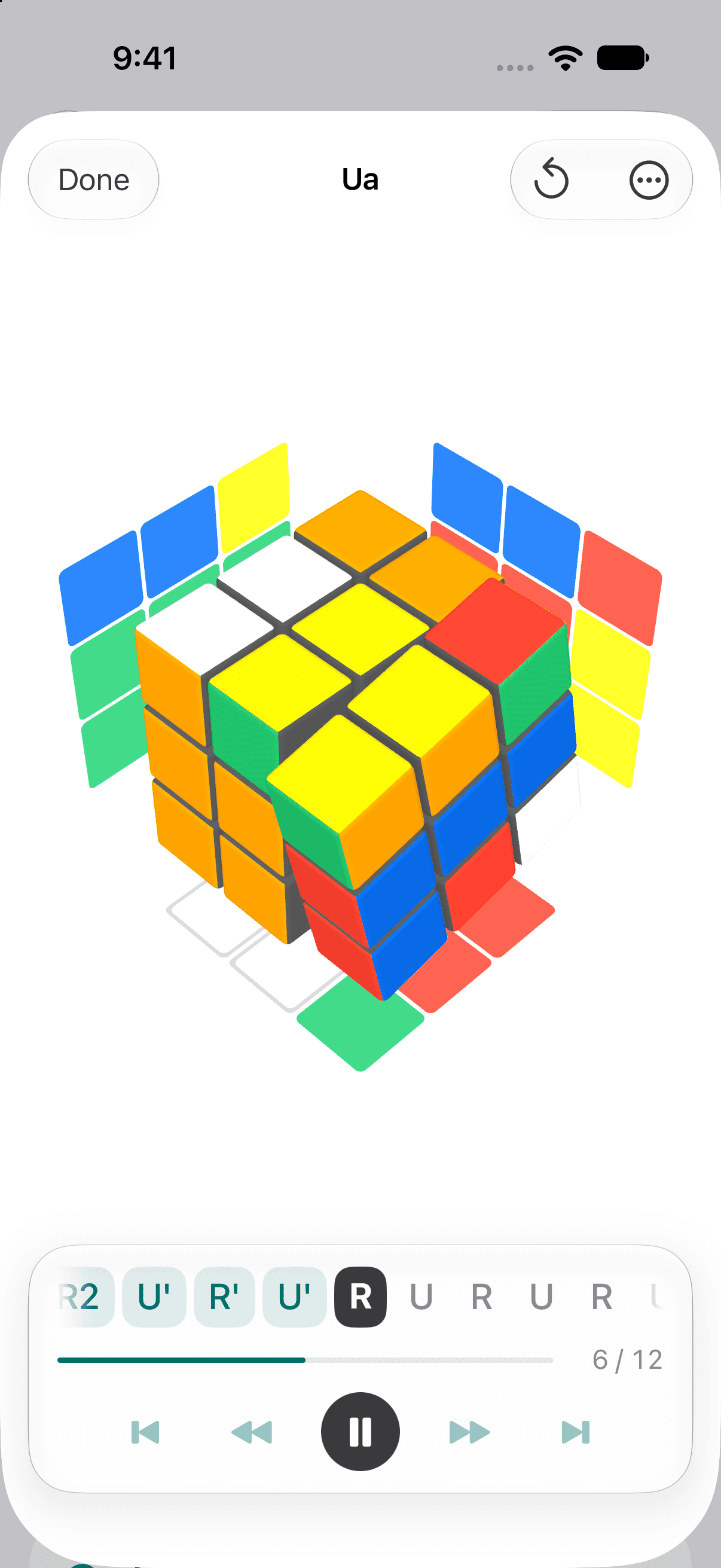
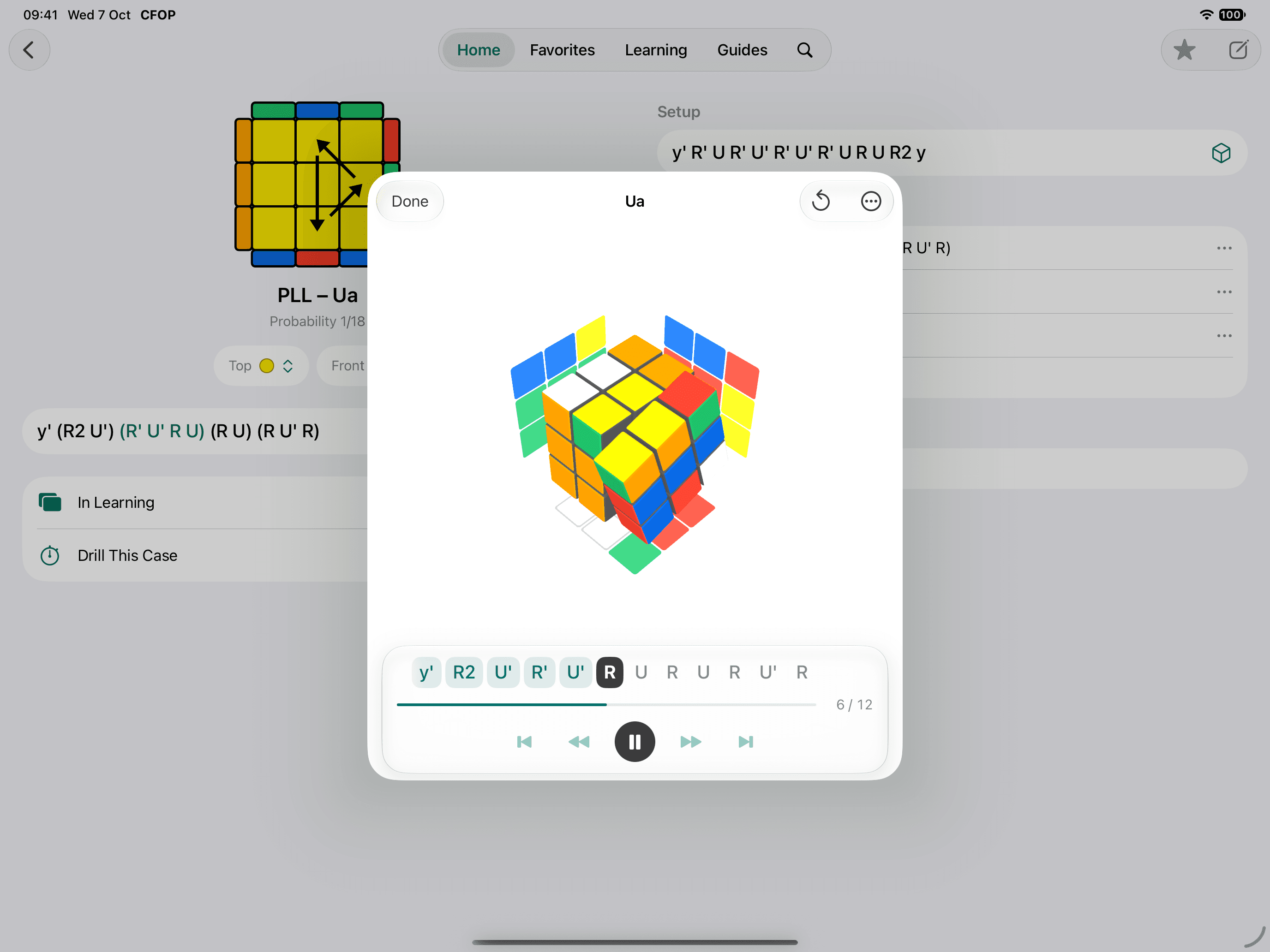
Watch any algorithm on a 3D cube.
Every algorithm plays on a cube you can turn to any side. The faces turned away from you are drawn beside it, so nothing is hidden while it moves.
The moves are laid out underneath. Tap one and the cube plays up to it, or step through them one at a time.
Browse, search, edit.
Find a case by its shape or by its name, and change its algorithm when you have a better one.
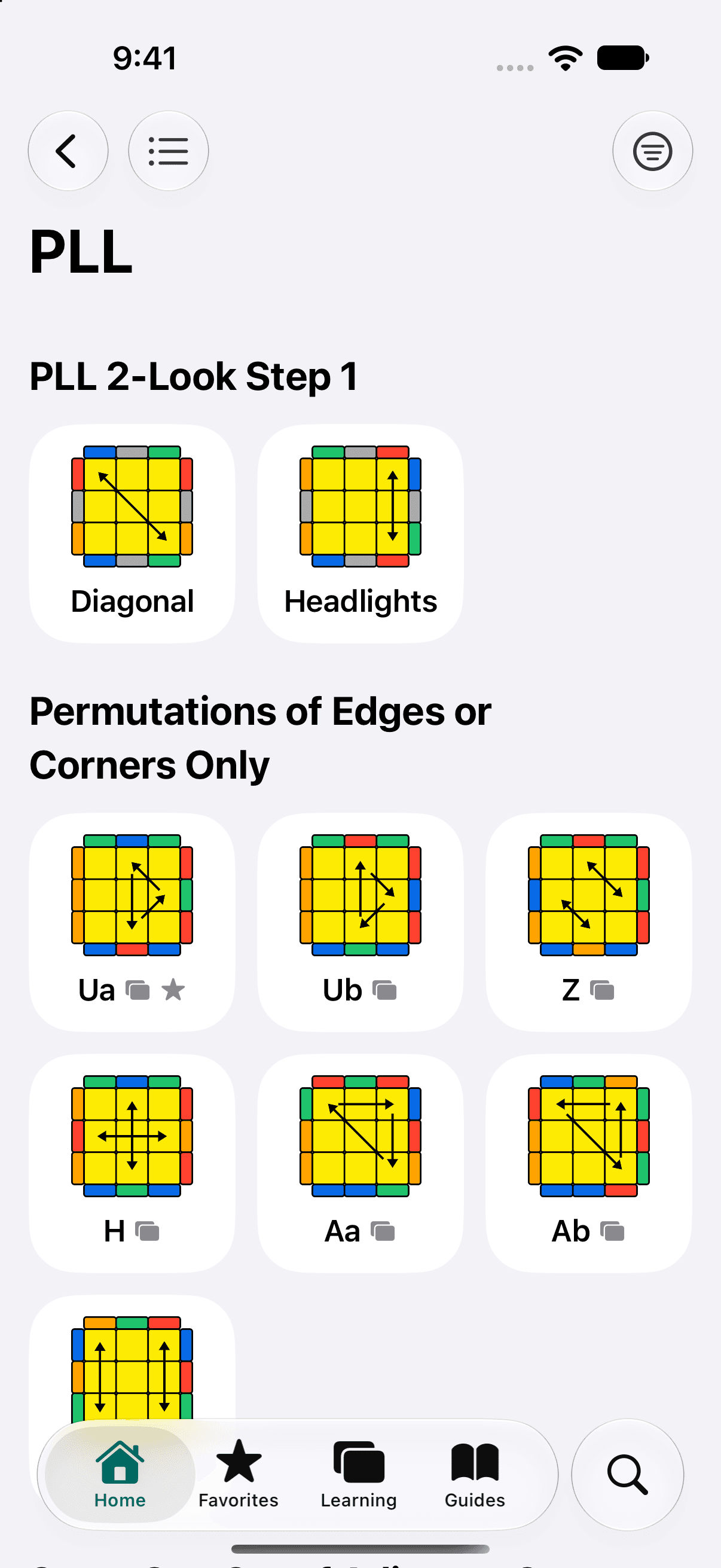
Grouped the way you recognize them
OLL by shape, PLL by what moves, F2L by where the pair sits. Show a step as a grid of diagrams or as a list.
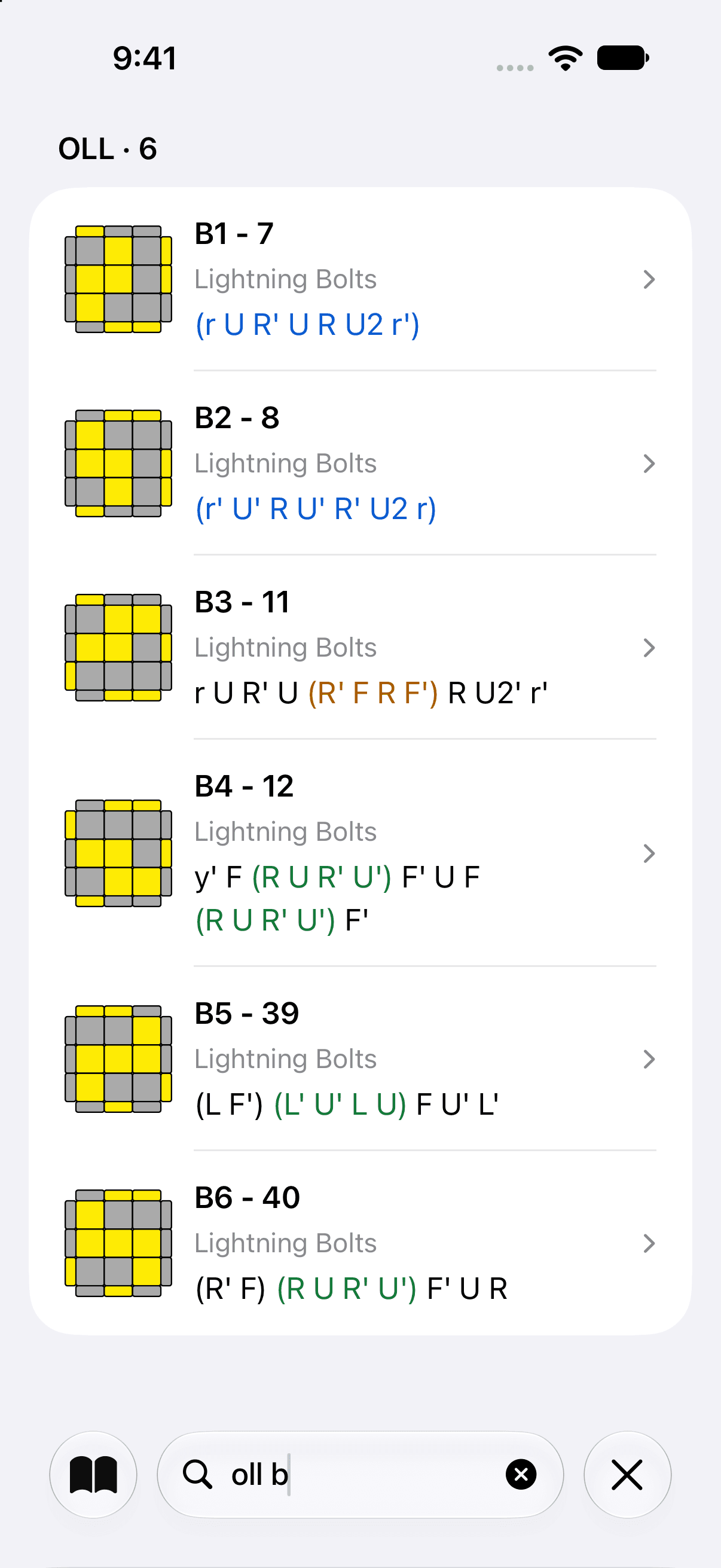
Found by name, alias, group or note
Search looks through all three steps at once, including the words you wrote yourself.
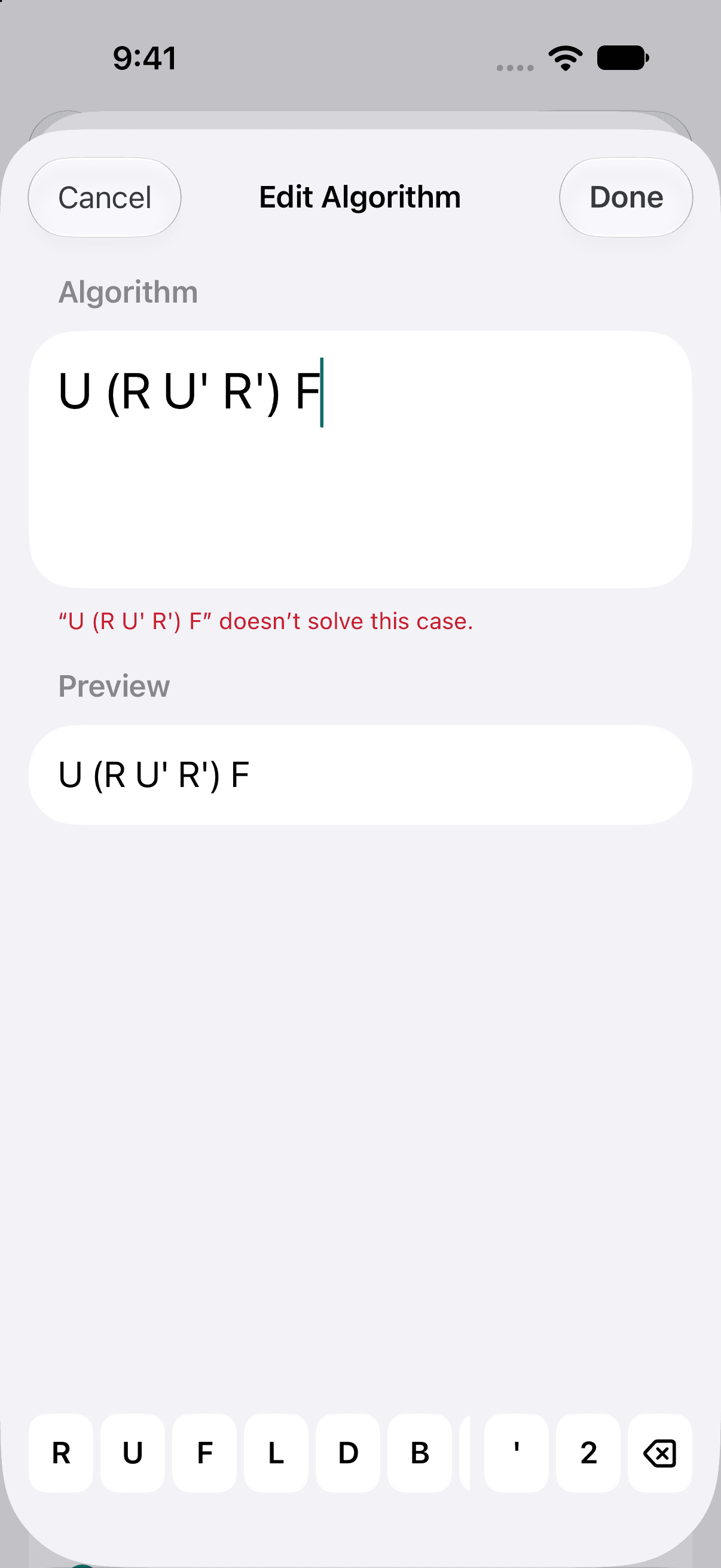
Checked before it is saved
The editor puts move keys above the keyboard, and checks that what you entered solves the case.
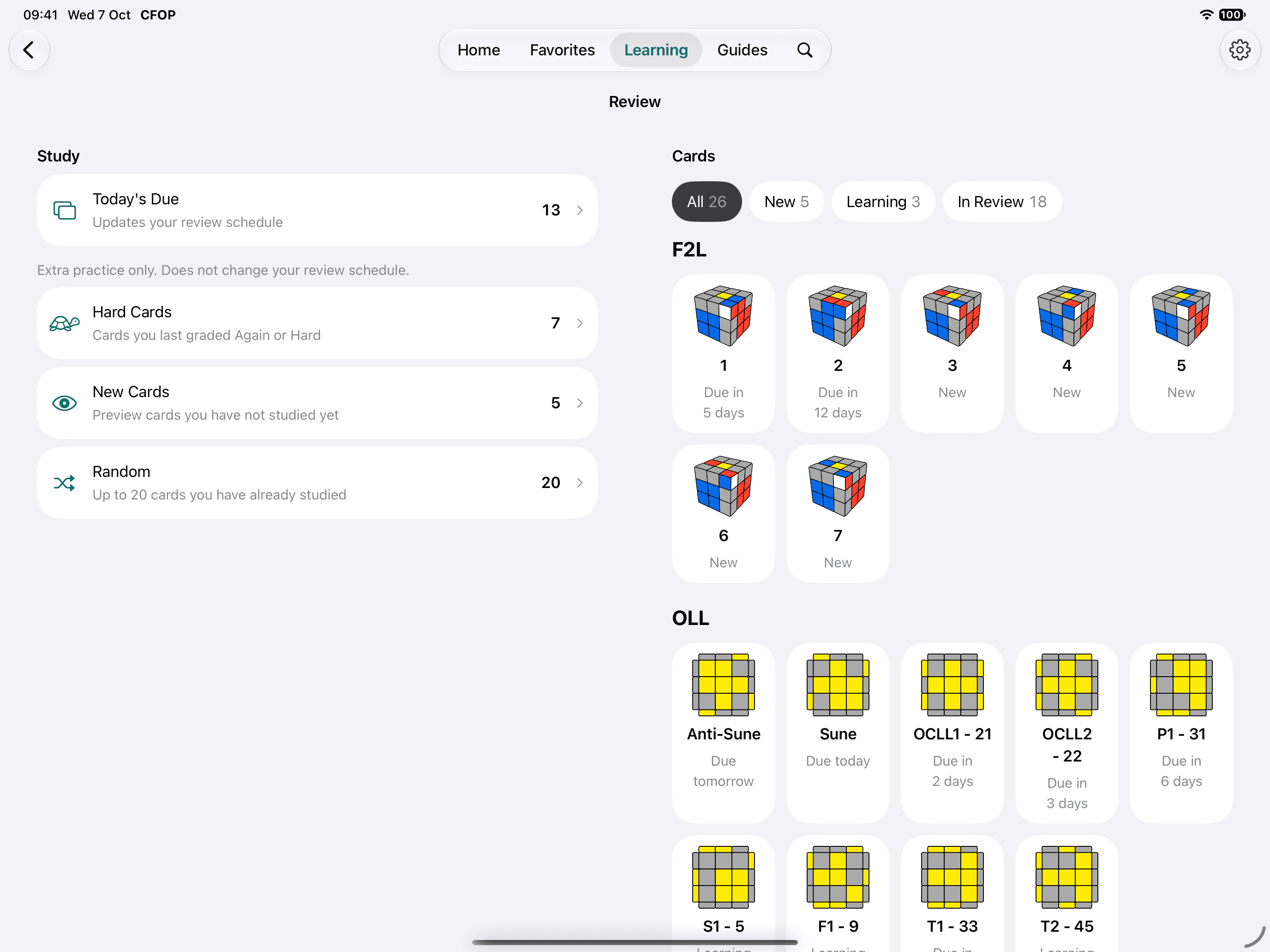
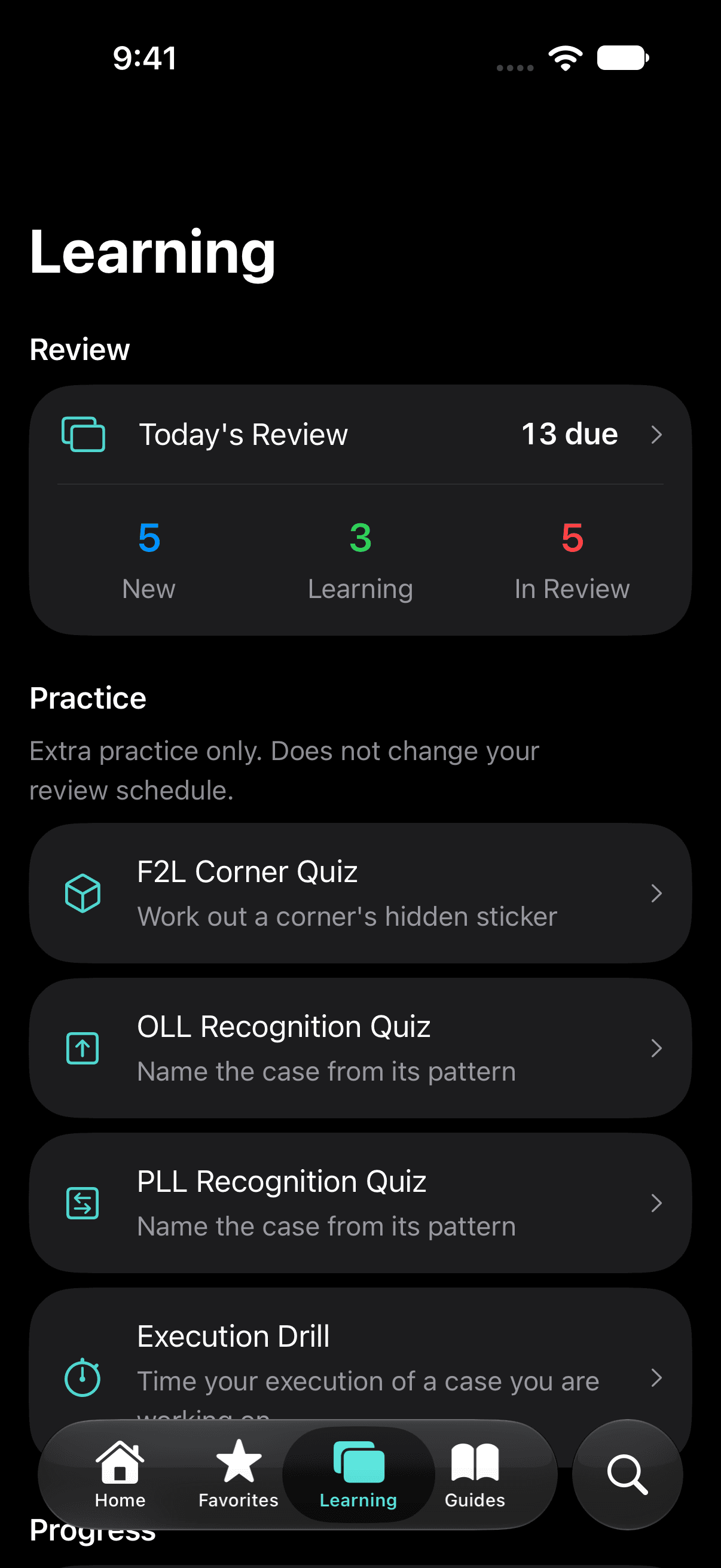
Flashcards that come back when they are due.
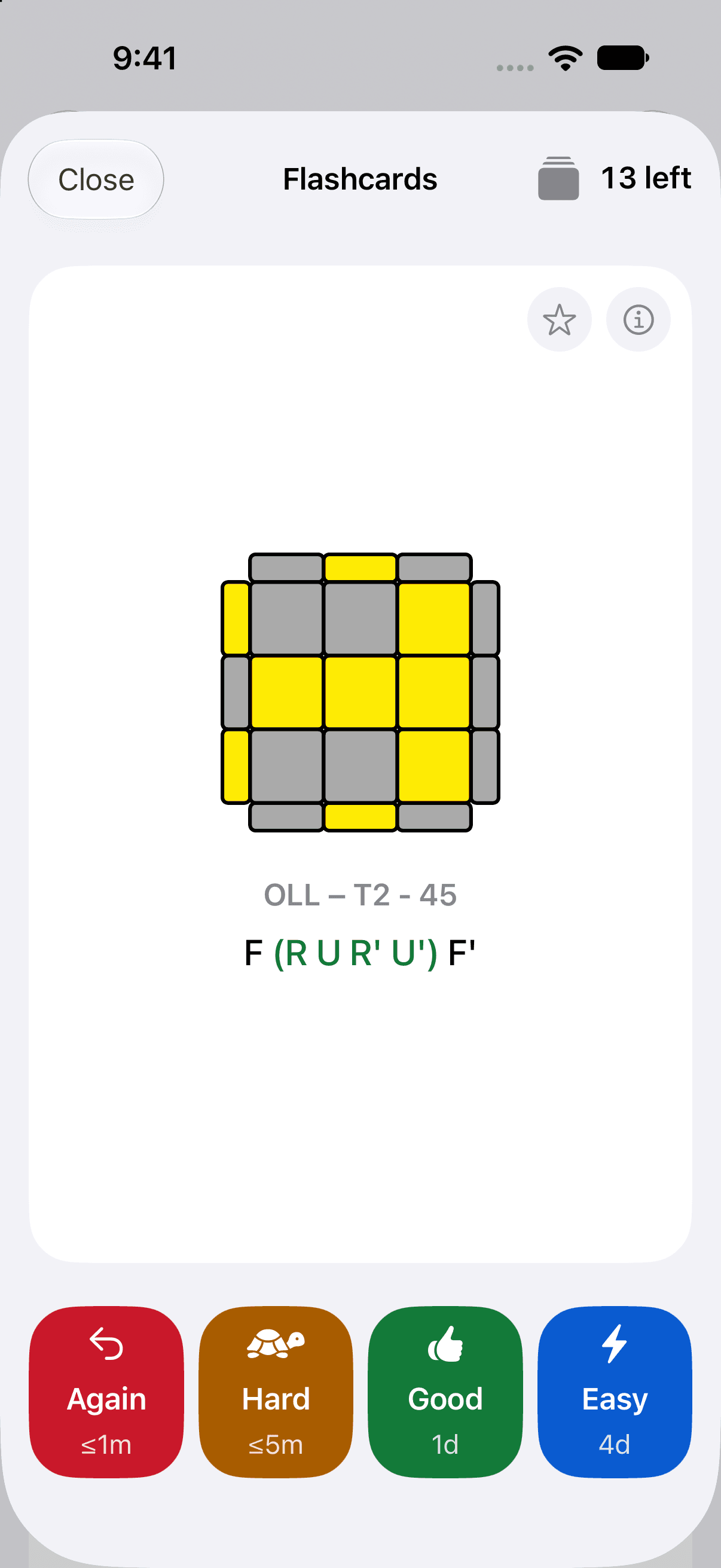
Add the cases you are working on to Learning. Spaced repetition brings each card back when it is due, and you say how it went.
Four grades, and you see what each one does.
- Again≤1m
- You missed it. The card is back within a minute.
- Hard≤5m
- You got there slowly. Back within five minutes.
- Good1d
- You knew it. See it again tomorrow.
- Easy4d
- No hesitation. Four days until the next look.
These are the intervals for a new card, as the buttons show them. They grow each time you get a card right.
Study what is due, or anything else.
Review opens on today's due cards. When you want more, practice your hard cards, preview new ones or take a random set. Extra practice never changes the schedule.
You choose how many new cards to take each day, from 1 to 20.
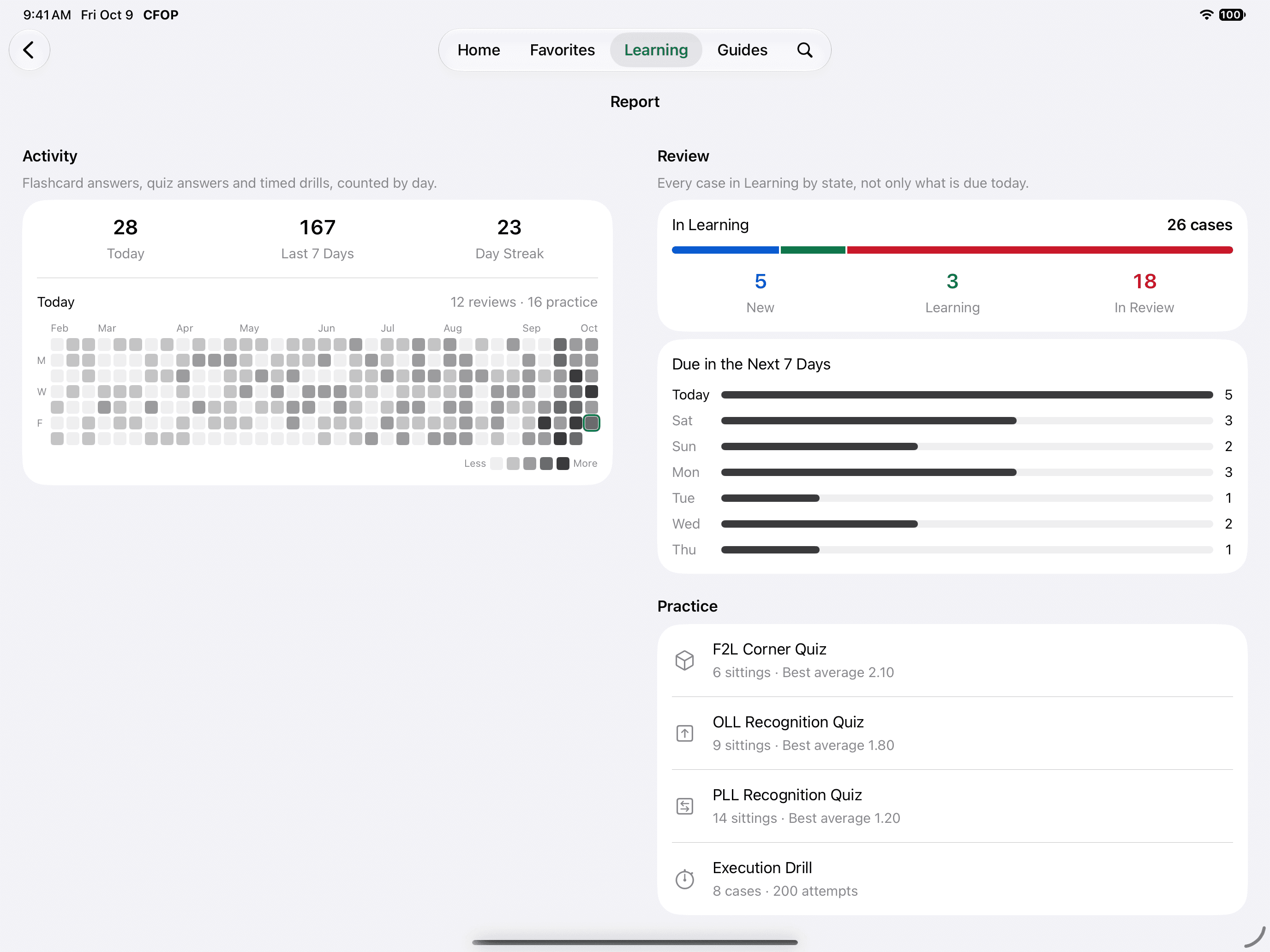
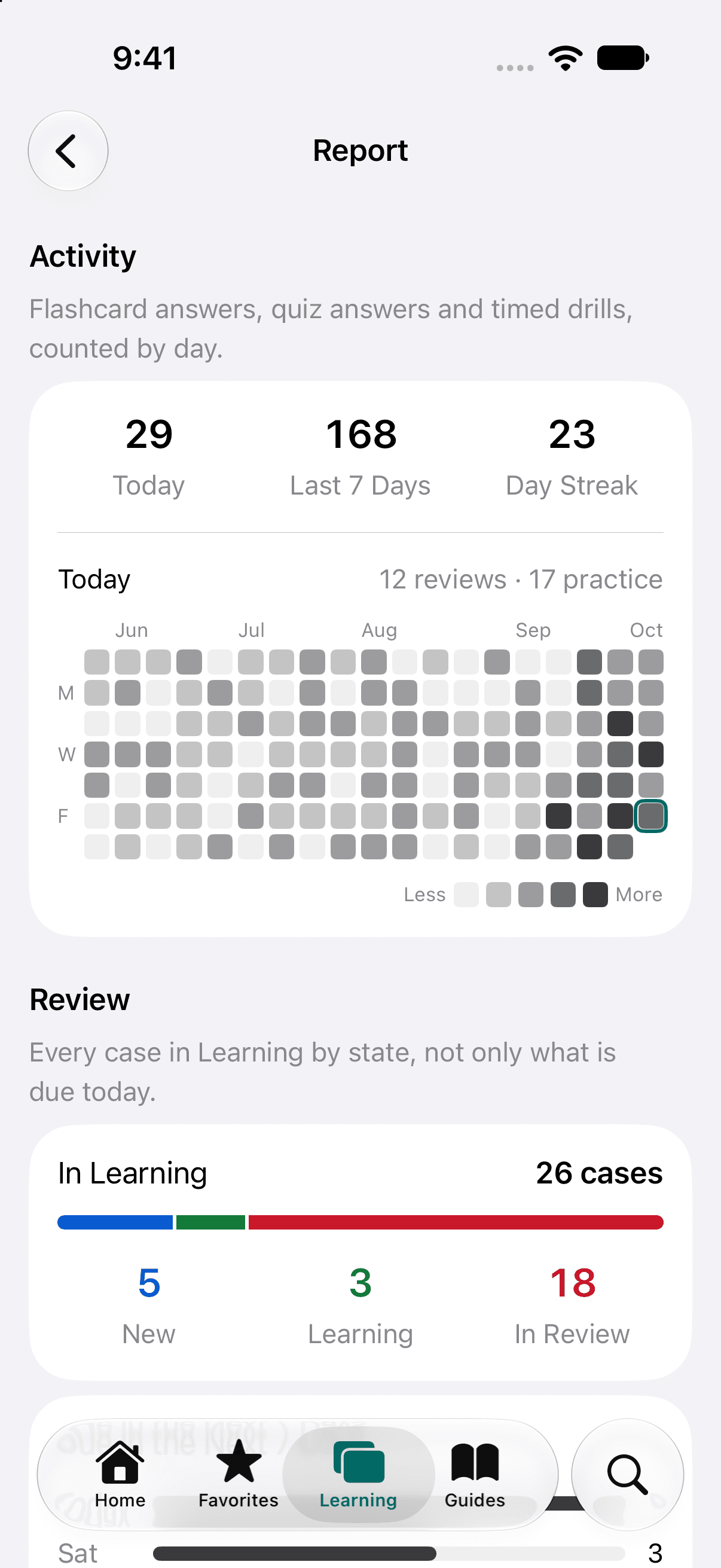
See the work add up.
The Report draws a heat map of your study days and counts your streak. It shows every case in Learning by state, how many are due on each of the next 7 days, and your record in each kind of practice.
Practice until it is automatic.
Knowing an algorithm is half of it. The other half is seeing the case at a glance and turning without thinking, and each has its own practice.
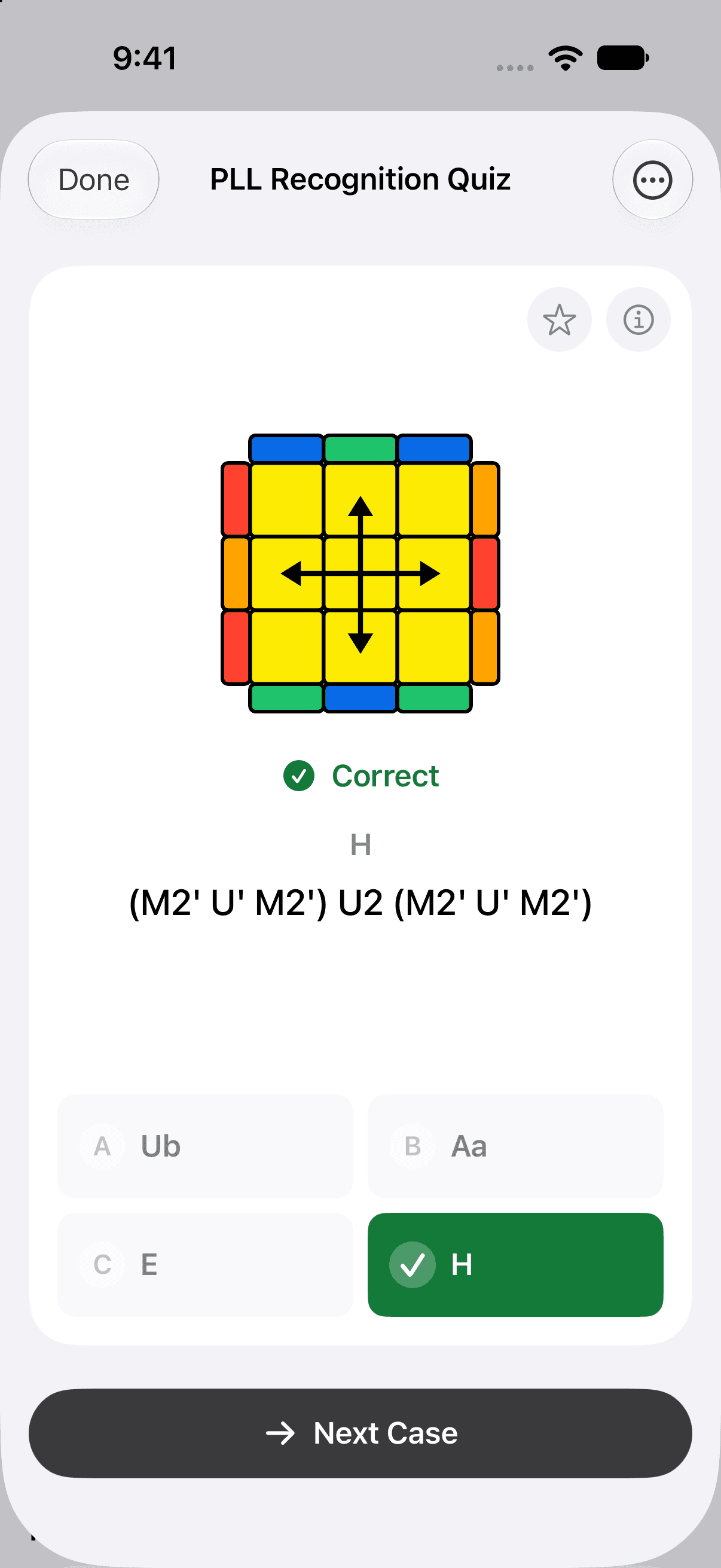
OLL and PLL Recognition Quizzes
Name the case from its pattern, shown from a random side and against the clock. Each quiz keeps your best average.
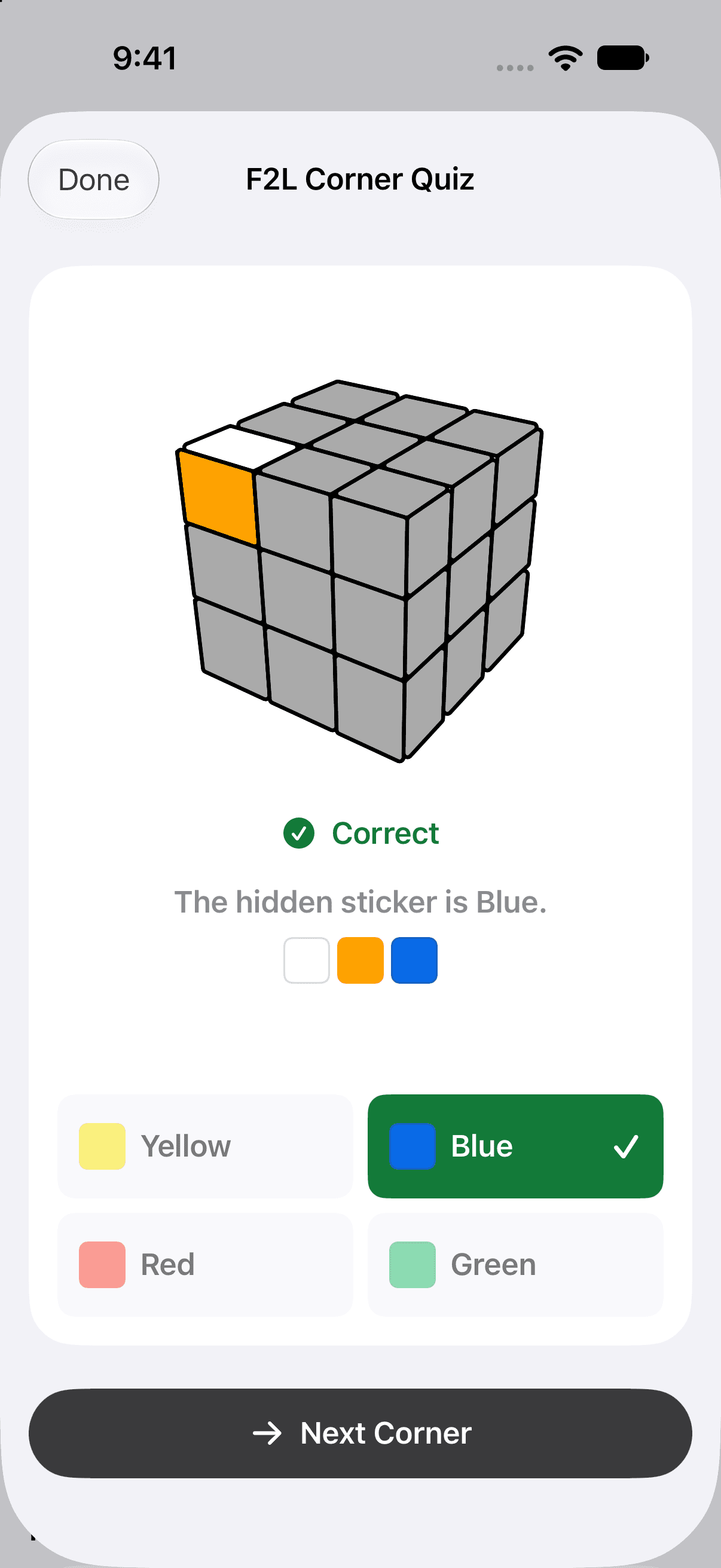
F2L Corner Quiz
A corner shows two of its stickers. Name the third, the one facing away from you.
Execution Drill
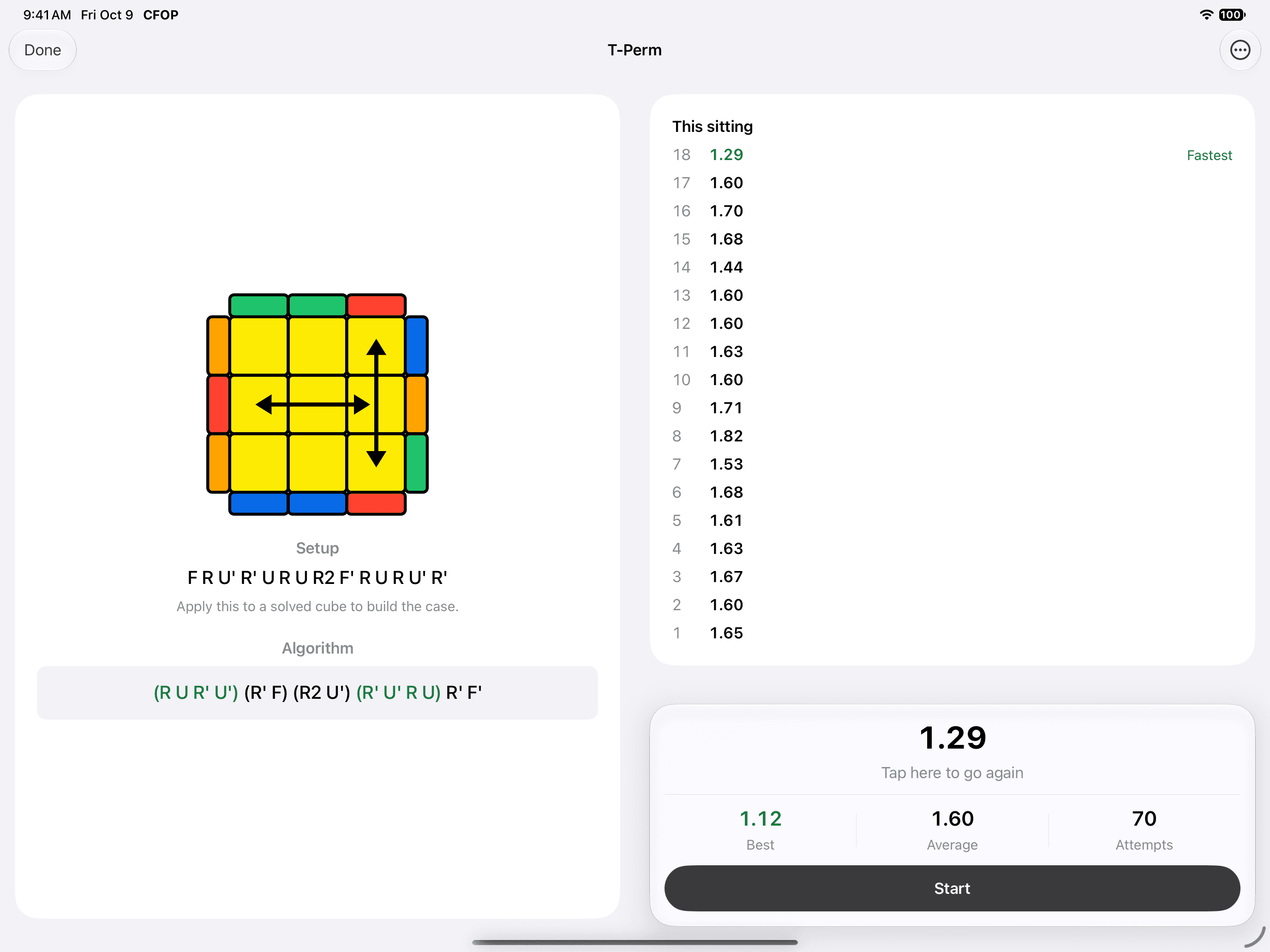
Time one case, again and again, and beat your best. Every case keeps its best time, its average and its number of attempts.
With a hardware keyboard the space bar is the timer pad: press it to stop the clock, let go to start it.
The method, explained in order.
Five guides take you through CFOP step by step, an example solve puts them together, and two references sit beside them for the moment you need to look something up.
The method
- OverviewHow the four steps fit together.
- CrossThe daisy for a first cross, then planning it in inspection.
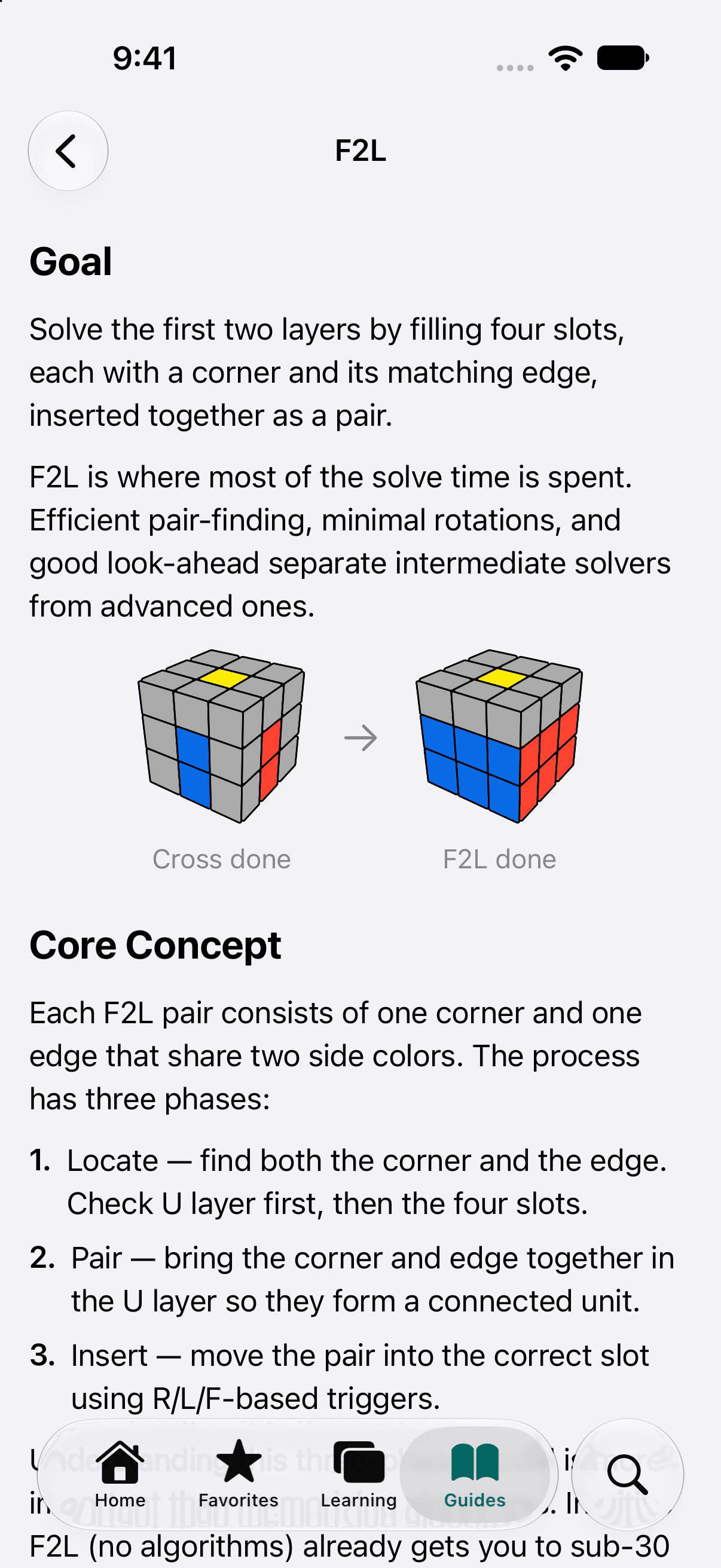
- F2LLocate, pair, insert, and how to look ahead.
- OLLRecognition by shape, and the 2-Look path.
- PLLThe 21 cases in groups, and predicting the last turn.
- Example SolveOne whole solve on the 3D cube, step by step.
Reference
- NotationEvery move the algorithms name, each on its own cube.
- Finger PatternsThe triggers and grips behind fast turning.
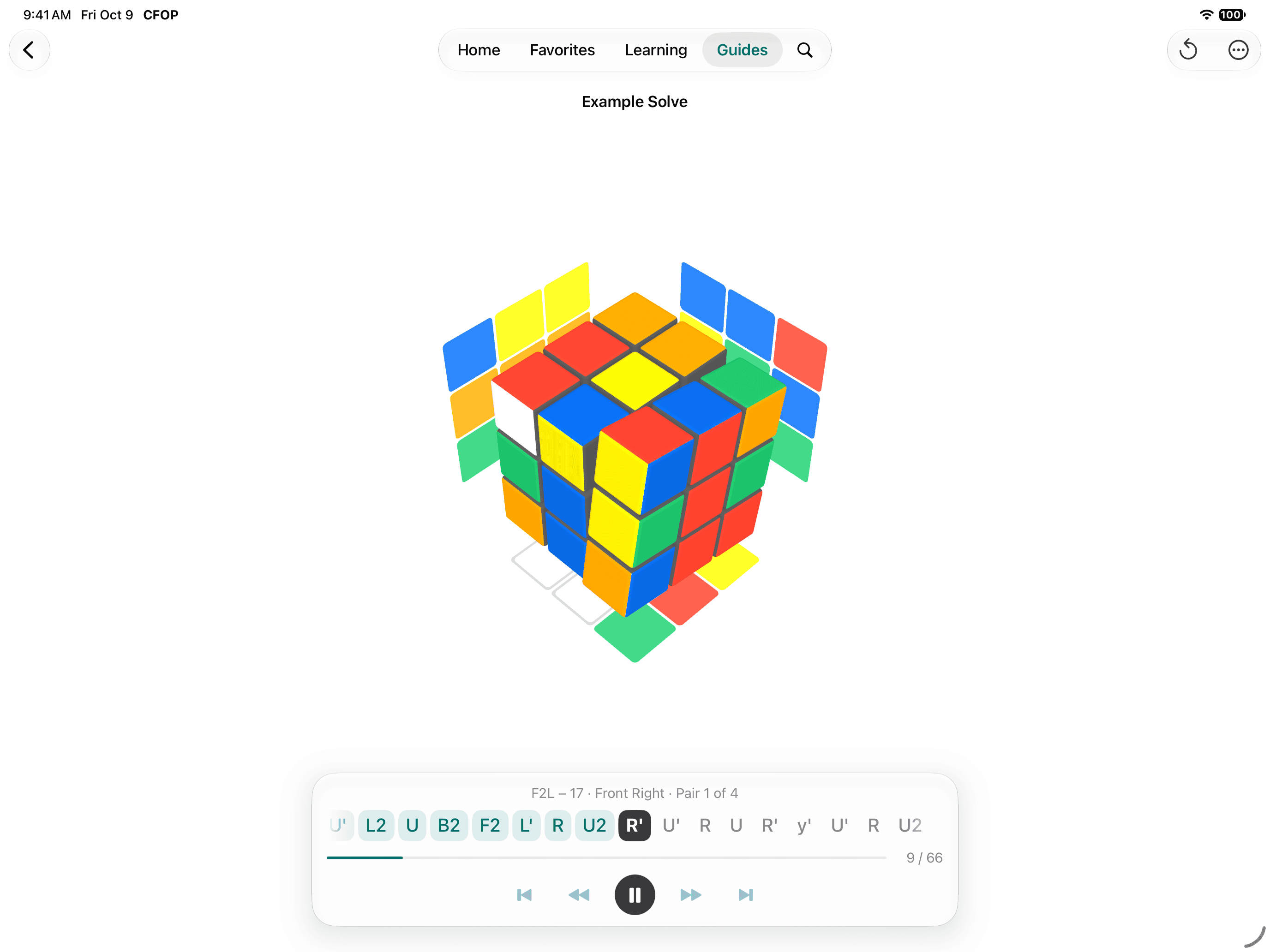
Then watch one whole solve.
Example Solve plays a solve from scramble to solved cube on the 3D viewer: the cross, four pairs, OLL and PLL. A line above the moves names the step you are watching, and from F2L on the case as well, so you can look it up afterwards.
Every time you open it, it deals a new scramble. Step through it one move at a time, or let it play.
Made for the way you cube.
The app adapts to your cube, your hands and your screen.
Your colors, your grip
Set your cube's color scheme and which colors you hold on top and in front. Every diagram follows.
Light, Dark or System
Pick an appearance, or let the app follow your device.
Your way of writing moves
Choose what separates the moves, and every algorithm in the app is written that way.
A screen that stays awake
Keep the display on while you practice, with both hands on the cube.
Hardware keyboard
Grade a card with 1 to 4, answer a quiz with A to D, and work the drill's clock with the space bar.
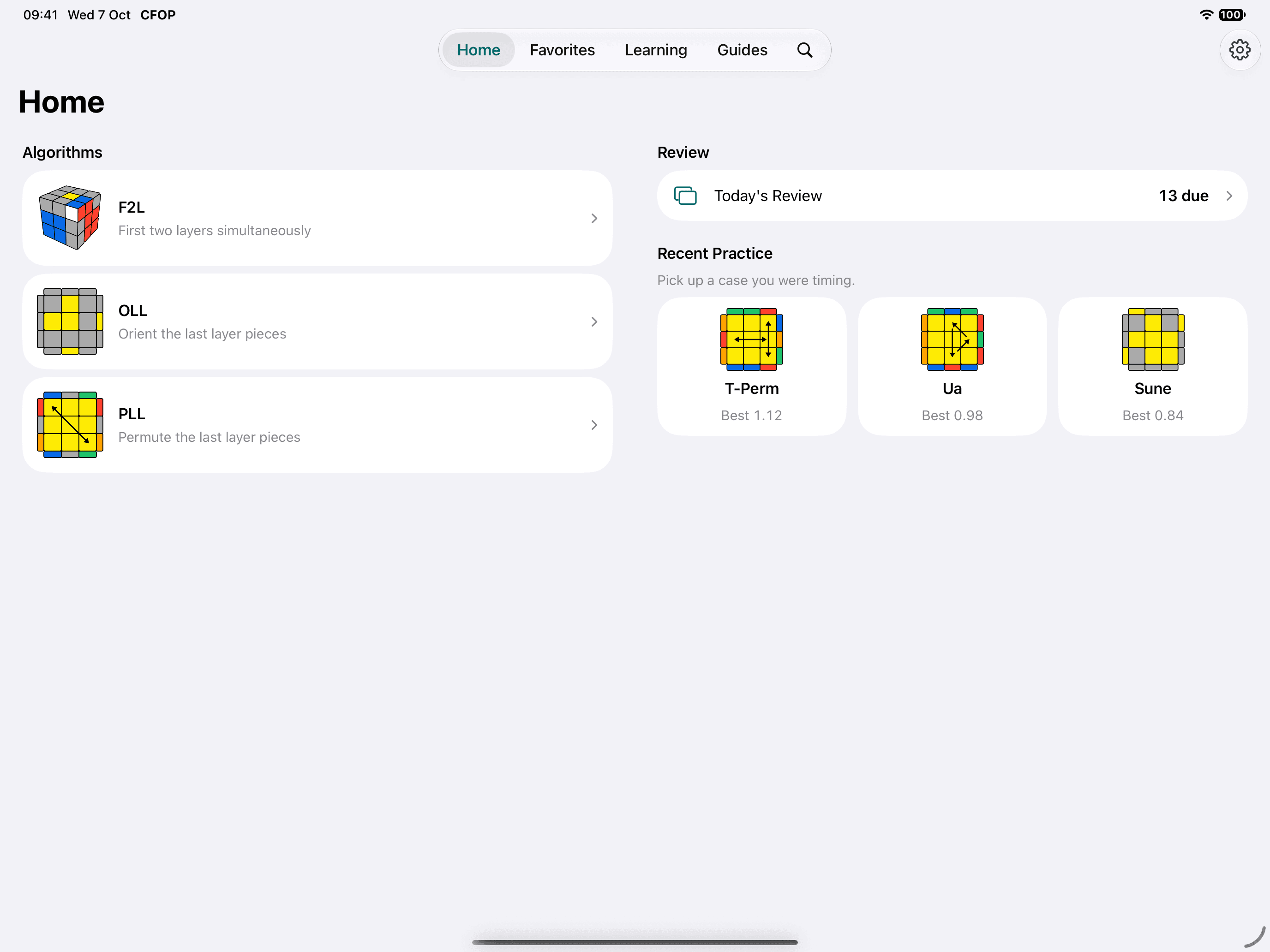
Two columns when there is room.
On iPad, and on the inner screen of iPhone Duo, lists and details sit side by side: the case next to its algorithms, the timer next to your times.
Questions before you buy.
Short answers about the method, the app and what you pay.
What is CFOP?
CFOP stands for Cross, F2L, OLL and PLL, the four steps of the most widely used speedcubing method for the 3x3 cube. It is also known as the Fridrich method. You build a cross, fill the first two layers in pairs, orient the last layer, then permute it.
I can solve the cube with the beginner method. Is this the next step?
Yes. Start with the Overview and Cross guides, learn F2L from its cases, and finish the cube with 2-Look OLL and 2-Look PLL, which take about 16 algorithms in place of the 78 of full OLL and PLL. Move on to the full sets when those feel comfortable.
Does it solve a scrambled cube for me?
No. Cube CFOP is a trainer, not a solver: it does not scan your cube or work out a solution for it. It teaches the cases of the CFOP method and helps you memorize, recognize and execute them. The Example Solve guide plays a whole solve, but of a scramble it deals itself.
Does it show the algorithms in motion?
Yes. Every algorithm plays on a 3D cube. You can step through it one move at a time, or tap any move to play up to it.
How many algorithms are included?
41 F2L, 57 OLL and 21 PLL cases, which is all of full CFOP, plus the 2-Look OLL and 2-Look PLL sets. Many cases include alternative algorithms, and every F2L case can be seen from four angles.
Can I use my own algorithms?
Yes. Add an algorithm to any case and choose it as the one you use. The editor has move keys above the keyboard and checks that what you enter solves the case. You can also give a case your own alias and a note.
How do the flashcards decide what to show?
Cases you add to Learning become cards. After each answer you grade it Again, Hard, Good or Easy, and the card comes back sooner or later to match: a new card returns within a minute after Again, and after a day once you grade it Good. You choose how many new cards to take each day, from 1 to 20.
Does practice change my review schedule?
No. The quizzes, the Execution Drill and the extra practice sets in Review are separate from scheduled reviews. Practice as much as you like; your due dates stay where they were.
What is new in version 7.0?
7.0 is rebuilt from the ground up. It adds the Learning tab with four-grade flashcards, the Report, the OLL and PLL Recognition Quizzes, the F2L Corner Quiz, the Execution Drill, 3D playback for every algorithm, four angles for F2L, guides to each step of CFOP, an Example Solve, Finger Patterns, your own colors and hold, Light and Dark appearance, two-column layouts on iPad and iPhone Duo, and hardware keyboard shortcuts.
I already own Cube CFOP. What happens when I update?
The update is free, and your favorites, edited algorithms and flashcard progress carry over. Your algorithm lists stay as they were; to take the new recommended algorithms, use Settings > Restore Default Algorithms.
Does it sync between my iPhone and iPad?
No. Your algorithms, notes and progress are stored on the device you use, and are part of that device's own backup. There is no account and no cloud sync.
Does it work with any 3x3 cube?
Yes. CFOP is a method for the standard 3x3 cube, whichever brand you turn, a Rubik's Cube or a modern speedcube. Set your cube's color scheme in Settings and the diagrams match it.
Is there a subscription, or ads?
No. Cube CFOP is a single purchase with no ads, no subscription, no in-app purchases and no account. It collects no usage analytics and sends crash reports only.
One purchase. Nothing else to buy.
Cube CFOP is paid for once on the App Store. Every case, every quiz, the drill and the guides are included, and version 7.0 is a free update for everyone who already owns the app.
Download on the App StoreFor iPhone and iPad. Requires iOS 17 or later.
- No ads
- No subscription and no in-app purchases
- No account: your algorithms and progress stay on your device
- No usage analytics. The app sends crash reports only