The original board, rebuilt for macOS.
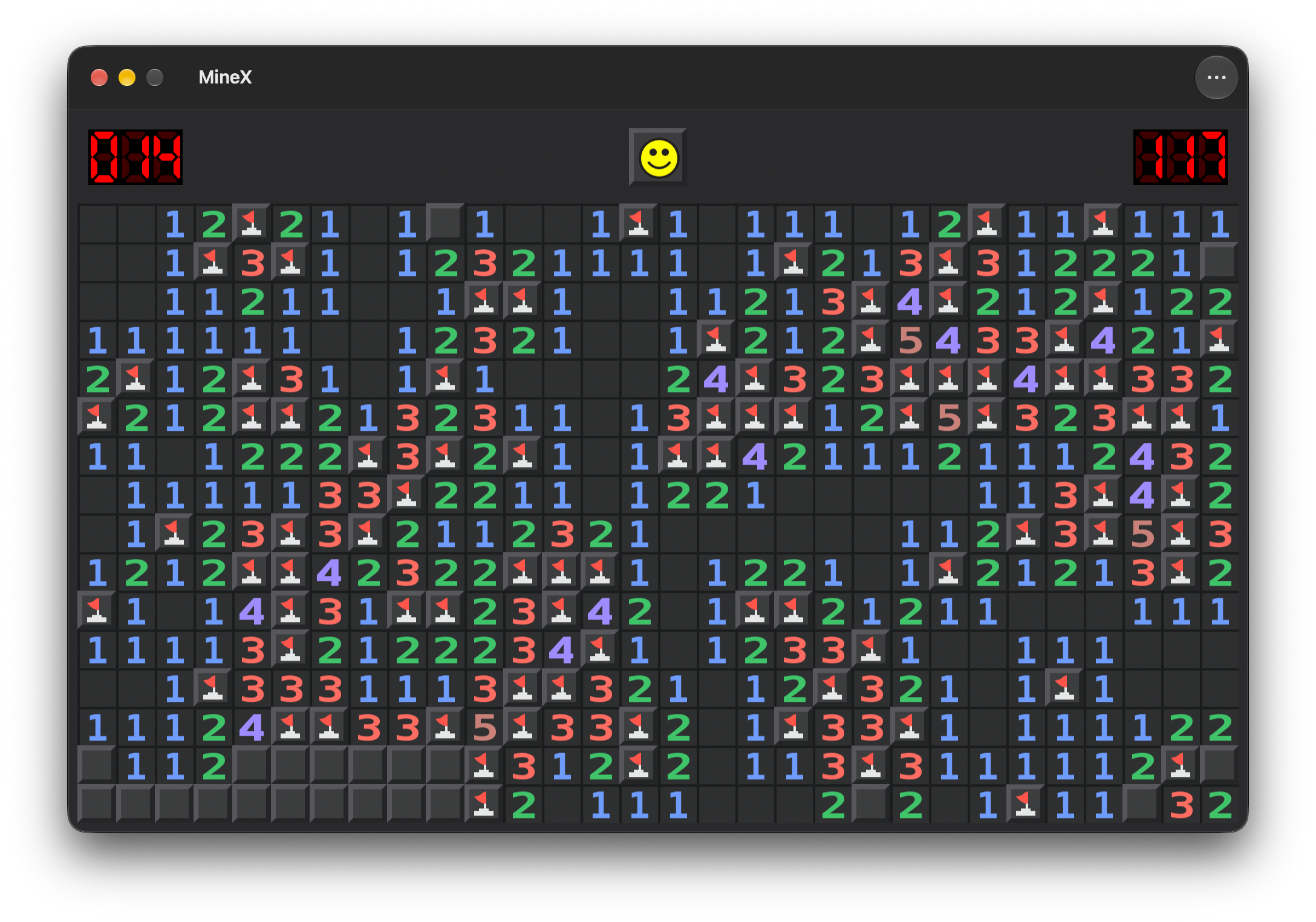
Classic Minesweeper for the Mac. The original rules, the original board, rebuilt as a proper native macOS app — with replays and the statistics serious players actually track.
A single purchase. No ads, no in-app purchases, no account. Requires macOS 14 or later.
- 2015
- On the Mac App Store since
- 6
- Leaderboards on Game Center
- 999
- Mines on a custom board
- 0
- Ads, in-app purchases and accounts
Three levels, and one you draw yourself.
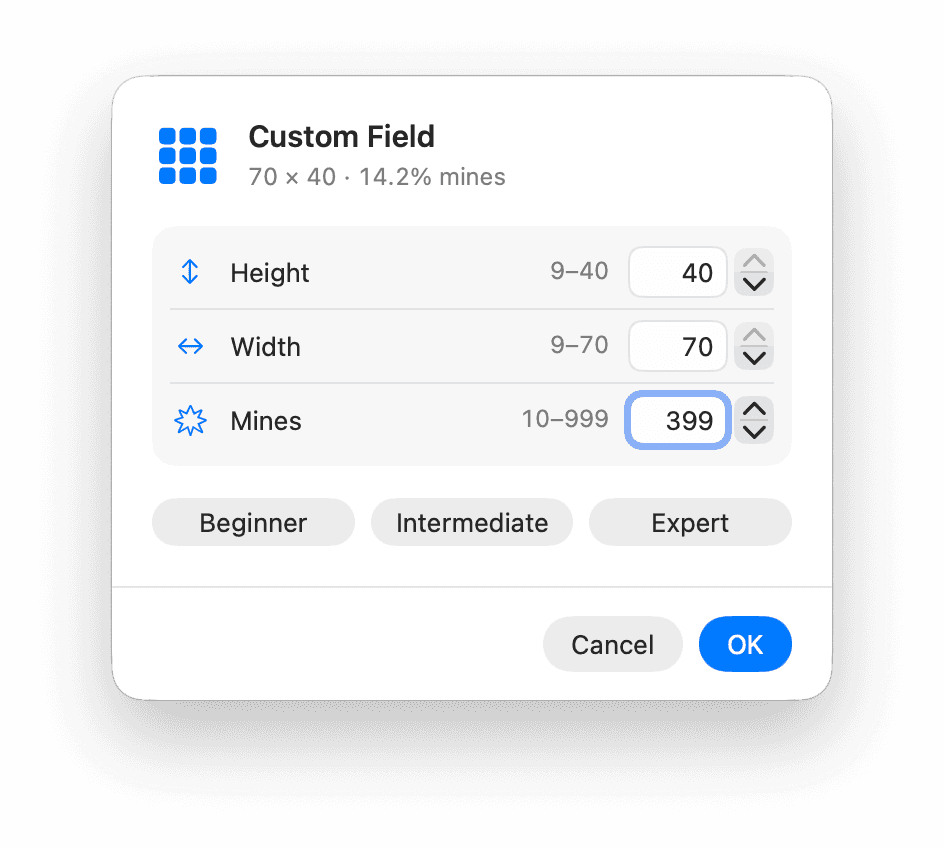
The dimensions and mine counts are the ones the game has always had. Custom goes as far as the window will take it, with presets so you are not typing numbers every time.
Beginner
9 × 9
10 mines
The first minute of the game.
Intermediate
16 × 16
40 mines
Where most players live.
Expert
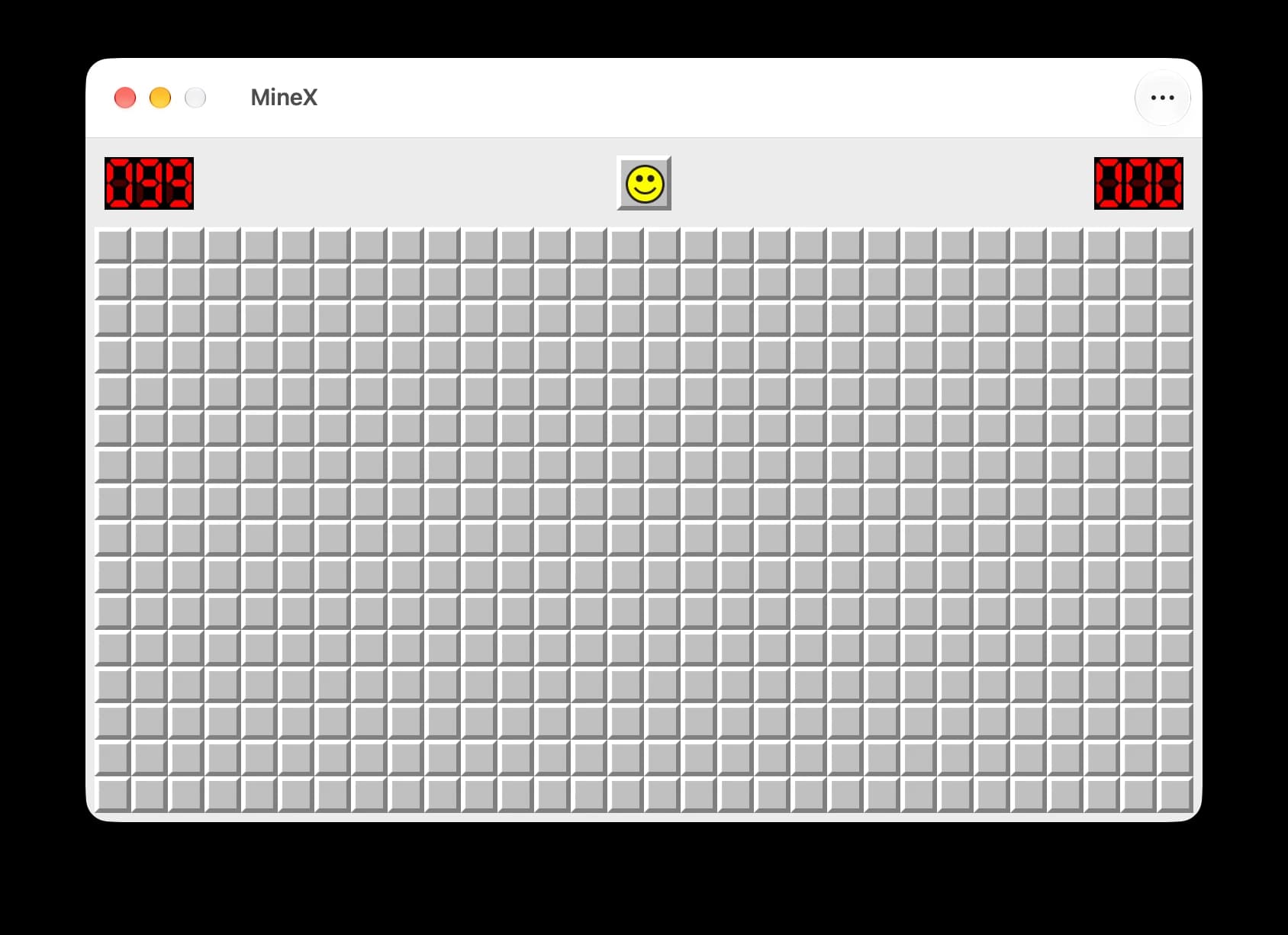
30 × 16
99 mines
The board the records are set on.
Custom
up to 70 × 40
up to 999 mines
With presets, and clear feedback on out-of-range values.
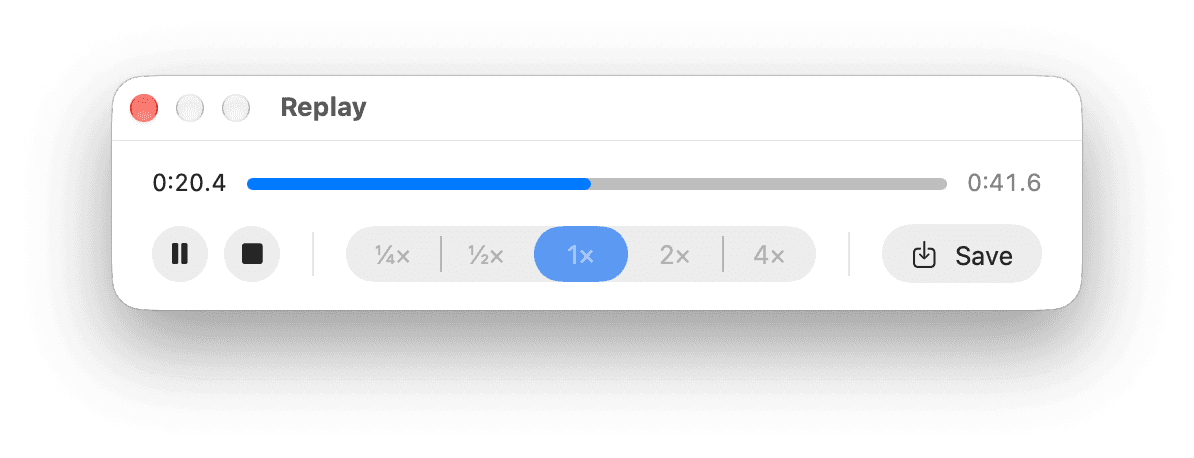
Watch the game back.
Every finished game can be played again — at a quarter speed to see exactly where a chord went wrong, or at 4x to skim. The elapsed time and the progress bar follow along as it plays.
A replay is a file. Save it, open it later, send it to a friend, or study someone else's. Replays written by MineX 1.x still open, and the ones this version writes still open there.
- Play, stop, and scrub with the elapsed time against the full length
- Save a replay to a .minex file and open it whenever you like
- Files are validated on open, so a damaged one cannot disturb a game in progress
- 3BV credit and click counts stay correct all the way through a replay
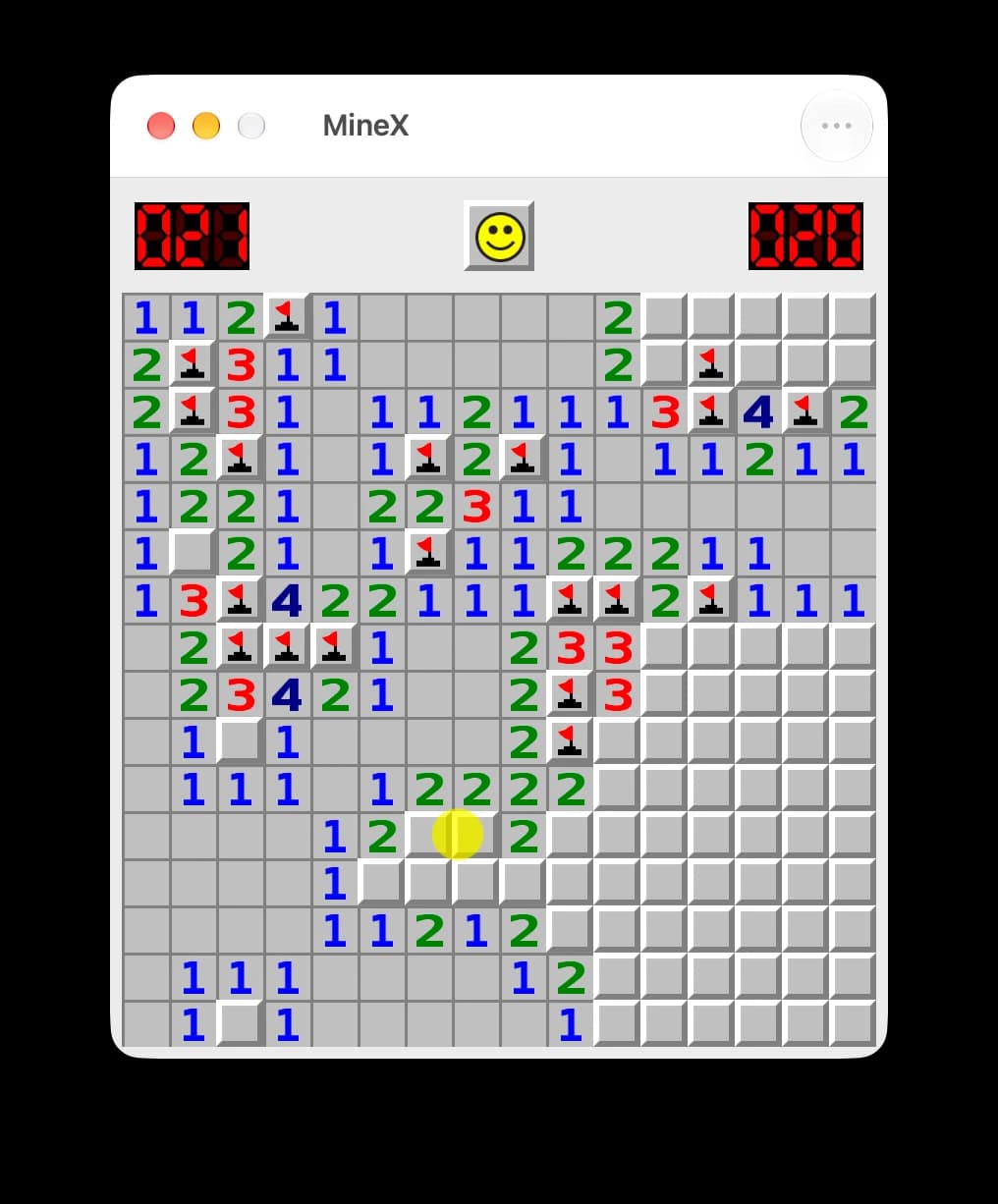
For players who count.
Minesweeper has had a measurement culture for decades. MineX records the numbers that culture uses, for every game, and keeps flagging and no-flagging apart so the comparison means something.
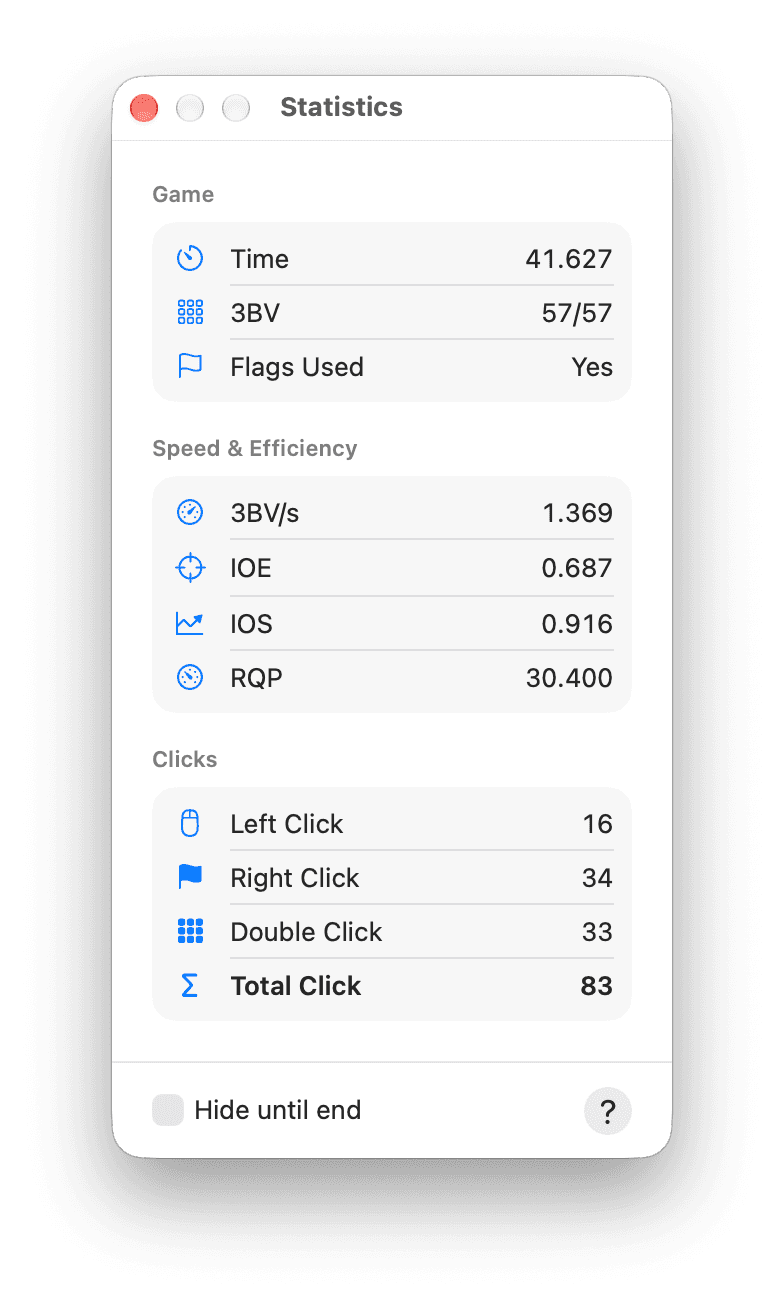
- 3BV
- Bechtel's Board Benchmark Value: the minimum number of left clicks needed to clear the board.
- 3BV/sHigher is better
- 3BV divided by the time.
- IOEHigher is better
- Index of Efficiency: 3BV divided by the number of clicks.
- IOSHigher is better
- Index of Speed: log(time − 1) divided by log(3BV).
- RQPLower is better
- Rapport Qualité Prix (quality–price ratio): time divided by 3BV/s.
Best times, kept honest.
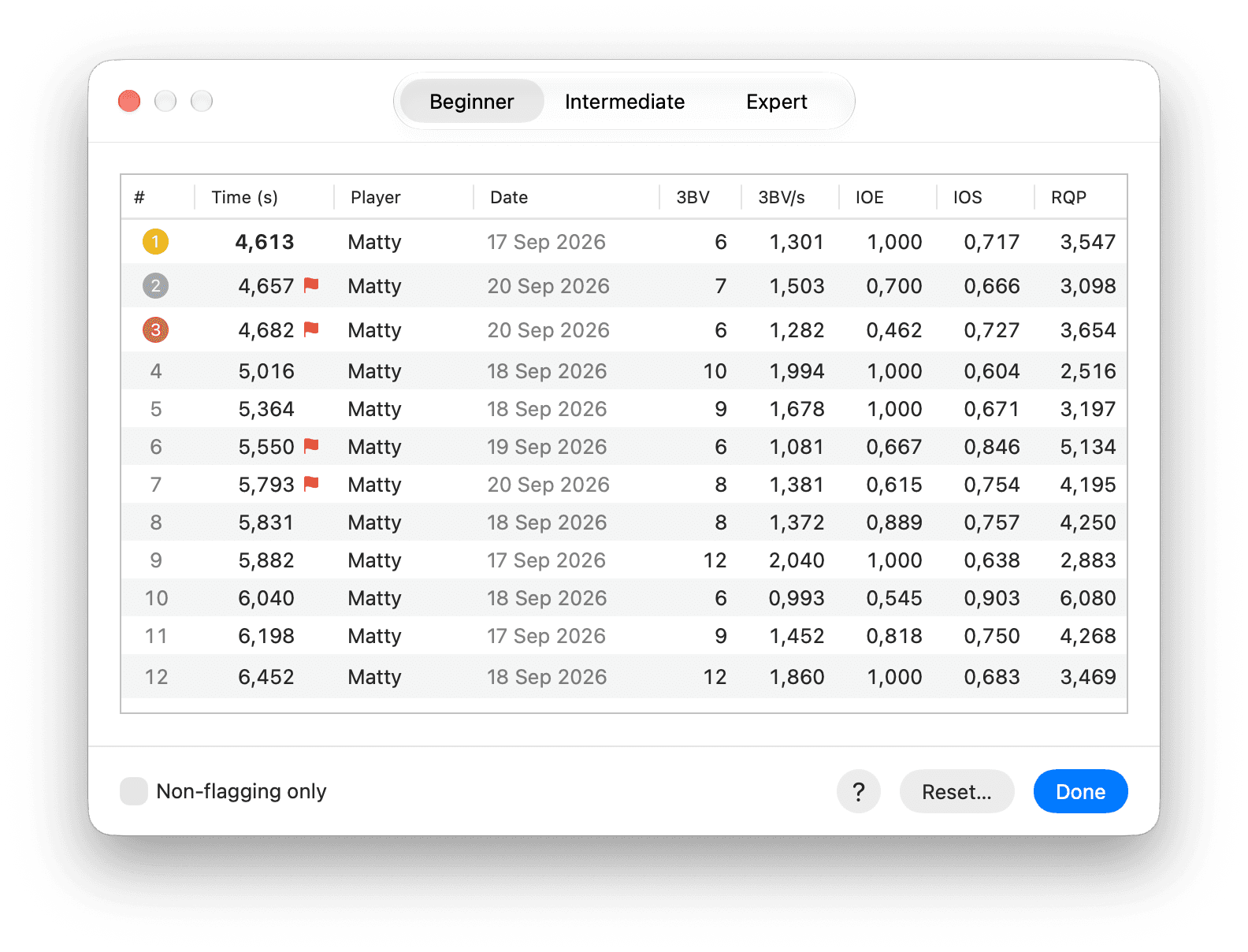
Best times are held per level, and flagged and no-flag games are ranked separately — a no-flag Expert run is not competing against one where you marked every mine.
Turn Game Center on and the same six categories become leaderboards. It stays off until you switch it on, and nothing asks you to sign in before then.
Your way, not one way.
The first click always opens an area — never a mine. Everything after it is yours to configure.
Open a square
Left click
The first click of a game always opens an area.
Flag a mine
Right click⌘ clickSpace
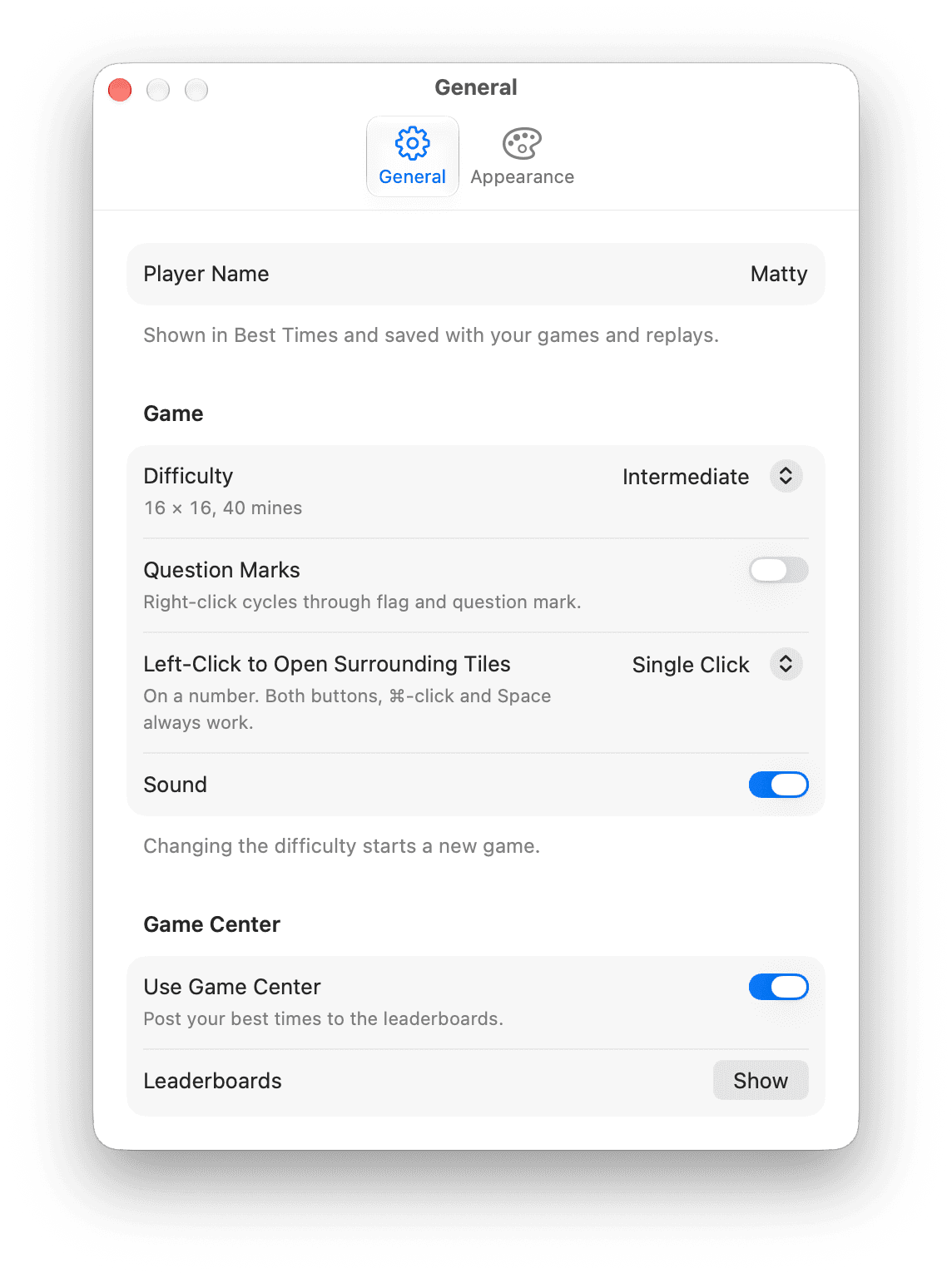
Question marks are optional, and off by default.
Open around a number
Left clickBoth buttonsDouble clickSpace
A single left click chords once the flags around a number match it — that is the new default.
Change the chord
⌘ ,
Prefer a double click, or no left-click chording at all? Both are in Settings.
A Mac app, not a port.
Version 2.0 is a full rebuild on a native macOS interface. The board, the rules and the feel stay exactly as they were; everything around them is new.
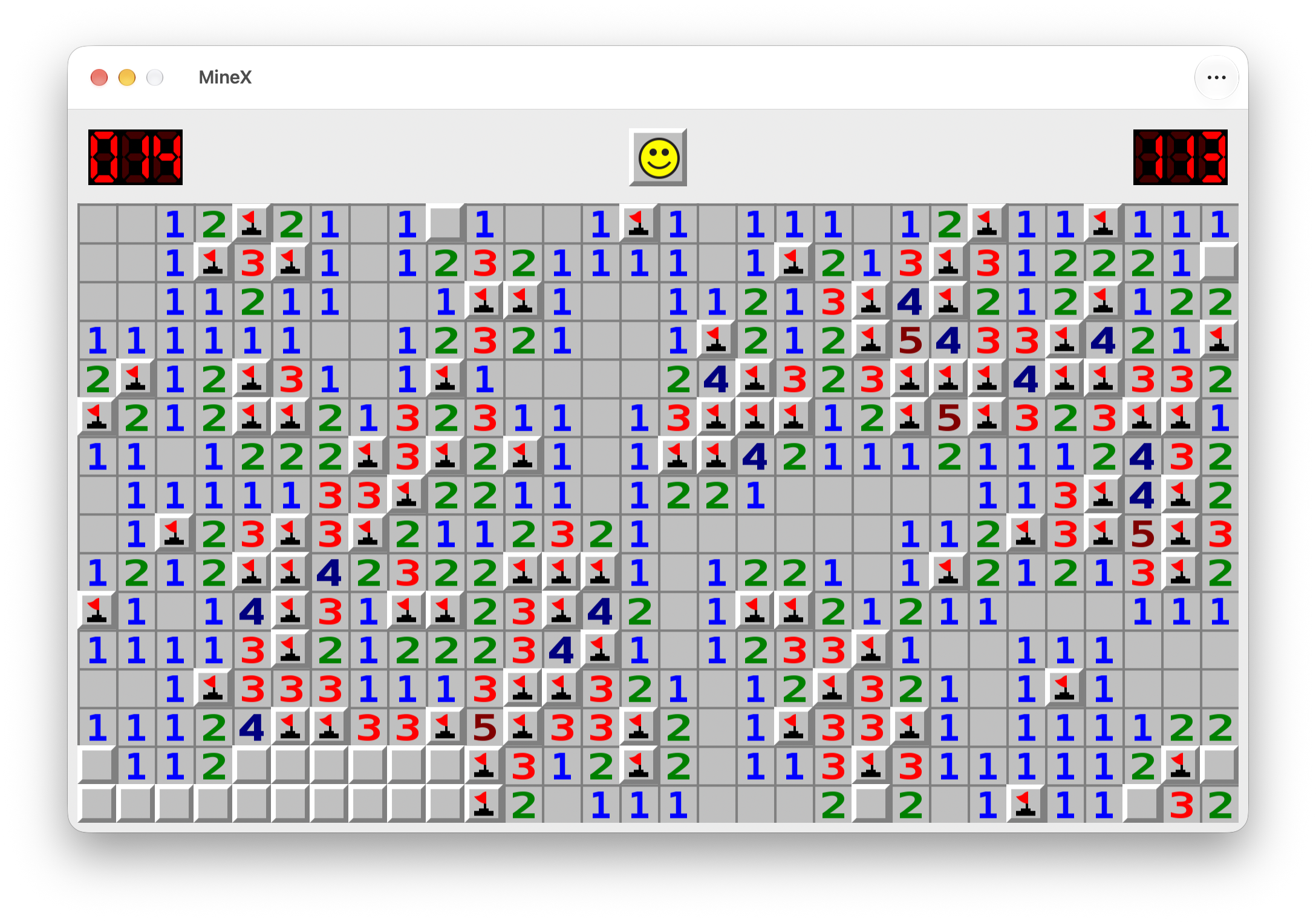
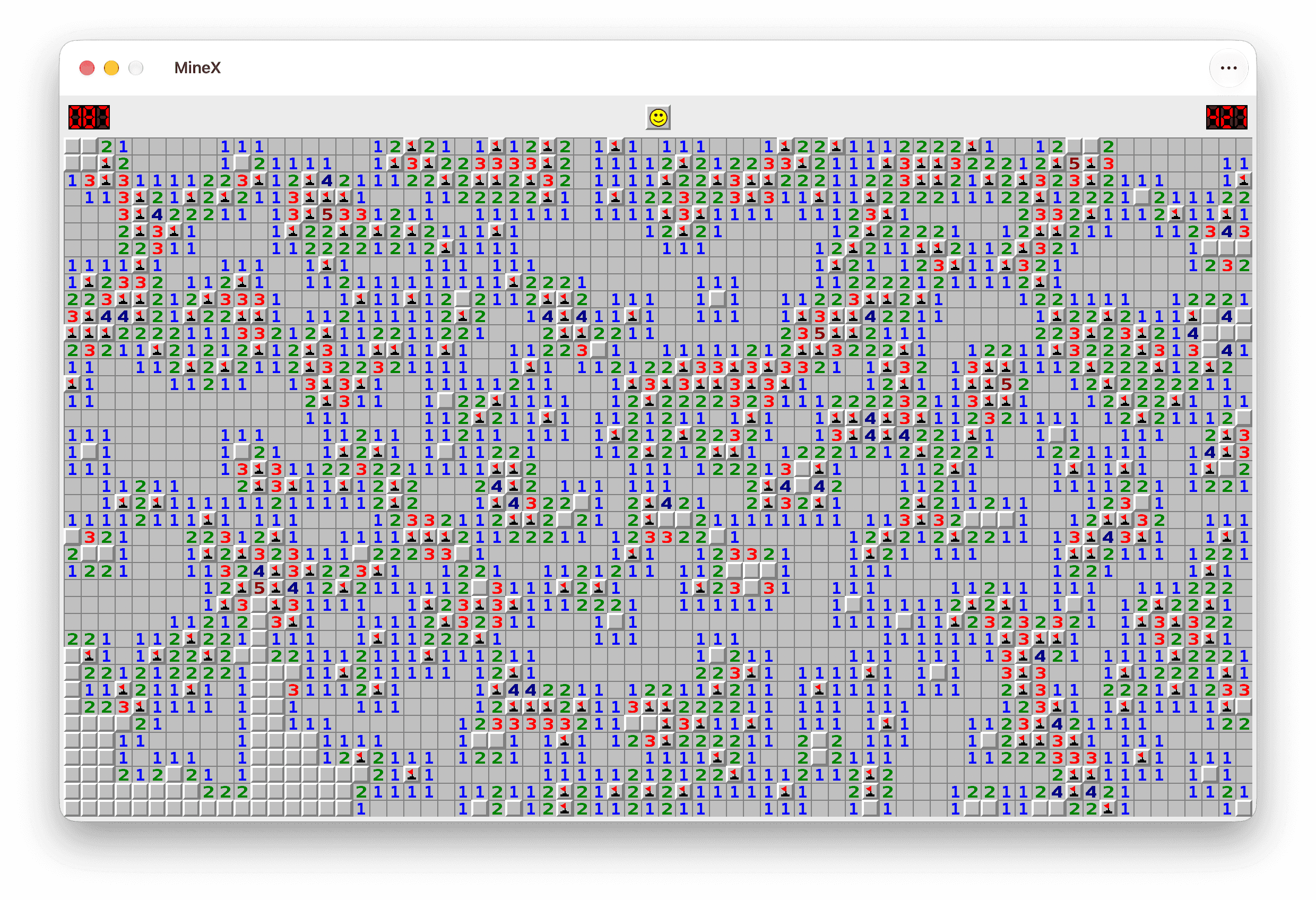
The same Expert board in the other appearance. The board above follows your Mac; this one shows the alternative. The classic number colours are brighter in Dark mode to keep them easy to read.
Light, Dark or Auto
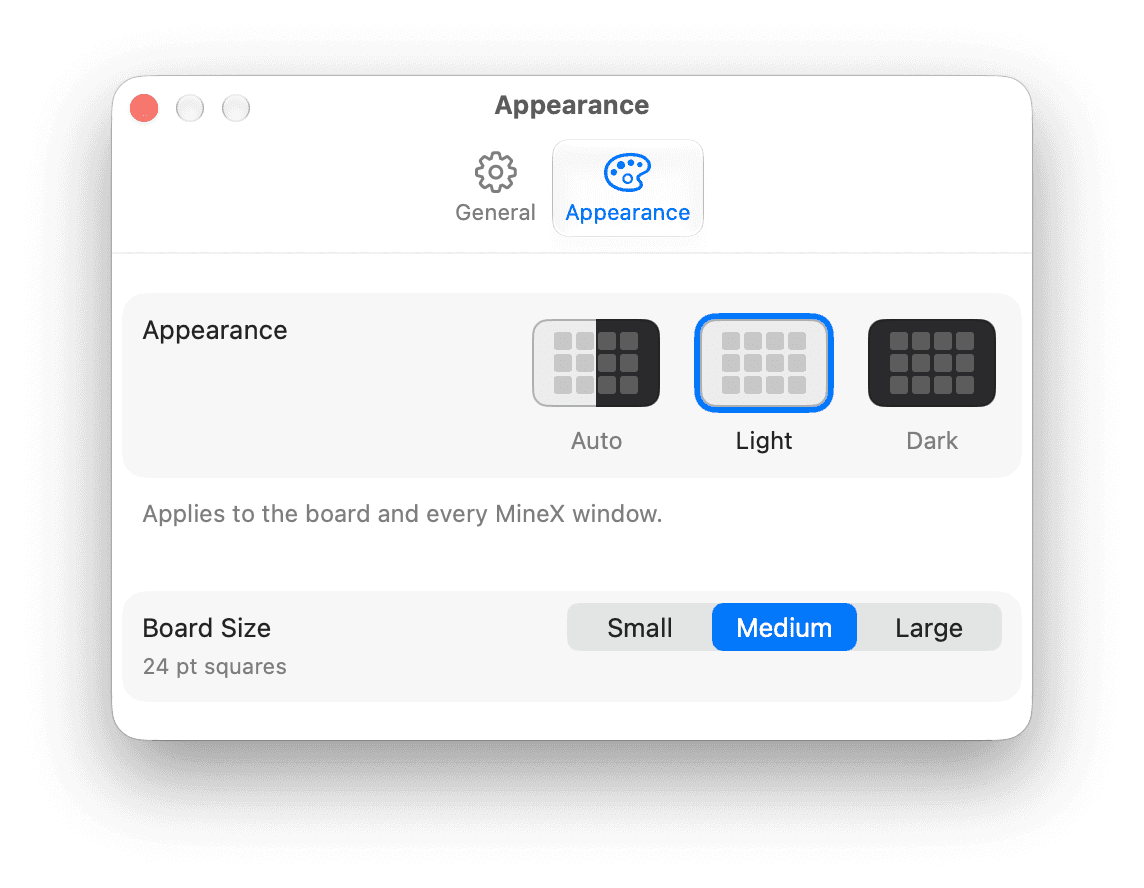
Applied to the board and to every window, with a keyboard shortcut for each. The classic number colours are brighter in Dark mode to maintain contrast.
Three board sizes
Small, Medium or Large squares — 16pt to 32pt — from the View menu or Settings, so an Expert board is comfortable on a large display and still fits on a laptop.
A Settings window
Command-comma, collecting the game, Game Center and appearance options in one place instead of scattering them across menus.
Sound you can switch off
Synthesized effects for opening, flagging, chording, winning and losing — no sample library, and one switch turns the lot off.
Reduce Motion respected
The board does not animate its resize when Reduce Motion is on, and the fanfare is kept for genuinely new records.
Nothing to sign in to
Game Center is off until you turn it on from its menu or from Settings, so a new install never opens with an Apple Account prompt.
One purchase, and that is the end of it.
MineX is a single purchase. There are no ads, no in-app purchases, no subscription and nothing to sign up for.
Game Center leaderboards are the only online feature, and they stay off until you turn them on. The game, your replays and your statistics all work offline.
- No advertising of any kind, on any screen
- No in-app purchases and no subscription
- No account, and no sign-in prompt on launch
- Best times, statistics, settings and .minex replay files carry over from 1.x
Rebuilt without breaking anything.
2.0 modernizes an app that has been on sale since 2015, so the work was as much about preservation as replacement: the existing records, settings and replay files had to survive the rewrite untouched, and they do.
Best times and statistics now report a save failure instead of losing a record silently, and replays are validated when opened. The review prompt asks after a game you have won, never at launch.
Questions that come up.
Is this the same MineX I bought years ago?
Yes. It is the same App Store record, on sale since 2015, and 2.0 is a free update to it. Your best times, statistics, settings and .minex replay files all carry over.
What changed in 2.0?
The board, the rules and the feel are unchanged. Everything around them was rebuilt on a native macOS interface: Light, Dark and Auto appearance across every window, a Settings window at Command-comma, keyboard shortcuts, synthesized sound effects, bigger squares, a native toolbar, and redesigned Help, Statistics, Best Times and Replay windows. A single left click on a number now opens around it by default, and Space flags the square under the pointer.
Does it run on iPhone or iPad?
No. MineX is a Mac app and requires macOS 14 or later. There is no iOS, iPadOS, web or Windows version.
Do I have to use Game Center?
No. Game Center is off until you turn it on from the Game Center menu or in Settings, so nothing asks you to sign in on launch. Leaderboards are the only online feature — the game, your replays and your statistics all work offline.
What are 3BV, IOE and RQP?
They are the measurements the Minesweeper community uses to compare games rather than just times. 3BV is Bechtel's Board Benchmark Value, the minimum number of left clicks needed to clear the board; 3BV/s is 3BV divided by the time; IOE is the Index of Efficiency, 3BV divided by the number of clicks; IOS is the Index of Speed; and RQP is Rapport Qualité Prix, time divided by 3BV/s, where lower is better. MineX records all of them for every game, and the same glossary is in the app's own Statistics window.
Can I still flag with the Command key or a two-finger click?
Yes. Right-click, Command-click and Space all flag a mine, and all four ways of chording — a left click, both buttons, a double click and Space — behave the same and count the same. If you would rather chord on a double click, or not on a left click at all, both are in Settings.
Can I send a replay to someone else?
Yes. A replay saves to a .minex file that you can open later or pass on, and MineX validates a file when it opens it. The format is compatible in both directions with 1.x.
Are there ads or in-app purchases?
No. MineX is a single purchase with no advertising, no in-app purchases, no subscription and no account.
Open every safe square, as fast as you can.
A single purchase on the Mac App Store. Requires macOS 14 or later.
Download on the Mac App Store